
03 / ECOMMERCE & RETAIL

Retail app security. Keep up with every release.

Bring security testing into the pace of mobile commerce. Use Djini to operate checkout and account journeys, review code changes before merge, and give QA agents the devices they need to run.

  1. 01
    APP RELEASERetail build + sandbox accounts
  2. 02
    DJINI AINavigate account and checkout journeys
  3. 03
    AI SASTReview changed source and attack paths
  4. 04
    DELIVERYReview patch + rerun the journey

MOBILE COMMERCE / CI/CD SECURITY / QA AUTOMATIONSourceRuntimeEvidence

MOBILE SECURITY USE CASES FOR RETAIL

One delivery workflow for the app you keep changing.

Checkout, loyalty, account features, and campaign releases create ongoing testing work. Make Djini part of that work, from source review to an investigation on the running app.

01 / Industry use case

Pentest mobile commerce releases

A checkout journey crosses screens, account state, and backend decisions. Testing needs to follow that sequence rather than stop at individual endpoints.

Explore the workflow →

How Djini does the work

Provide a retail test build and sandbox accounts. Ask Djini to operate a defined shopping journey, examine the business logic, and validate a suspected path using the running app.

The outcome for your team

Reproduction material connecting the observed app behavior to the backend decision the engineering team needs to review.
02 / Industry use case

Review mobile code in the delivery pipeline

Frequent releases need a security review before the change disappears into the next sprint.

Explore the workflow →

How Djini does the work

Trigger AI SAST from development or CI/CD. Use the connected source findings to prepare a remediation task or coding-agent patch, then review and rescan the proposed change.

The outcome for your team

Code-level findings and structured output that fit your pull-request checks and developer fix workflow.

YOUR FIRST EVALUATION

Choose the checkout journey from your next release.

Combine a source scan of the change with a device run against sandbox accounts. Review the evidence with the mobile and backend owners, then repeat the relevant test after the fix.

Start with the first workflow →

Start with an agreed app build, test accounts, and scope. Device usage depends on your plan.

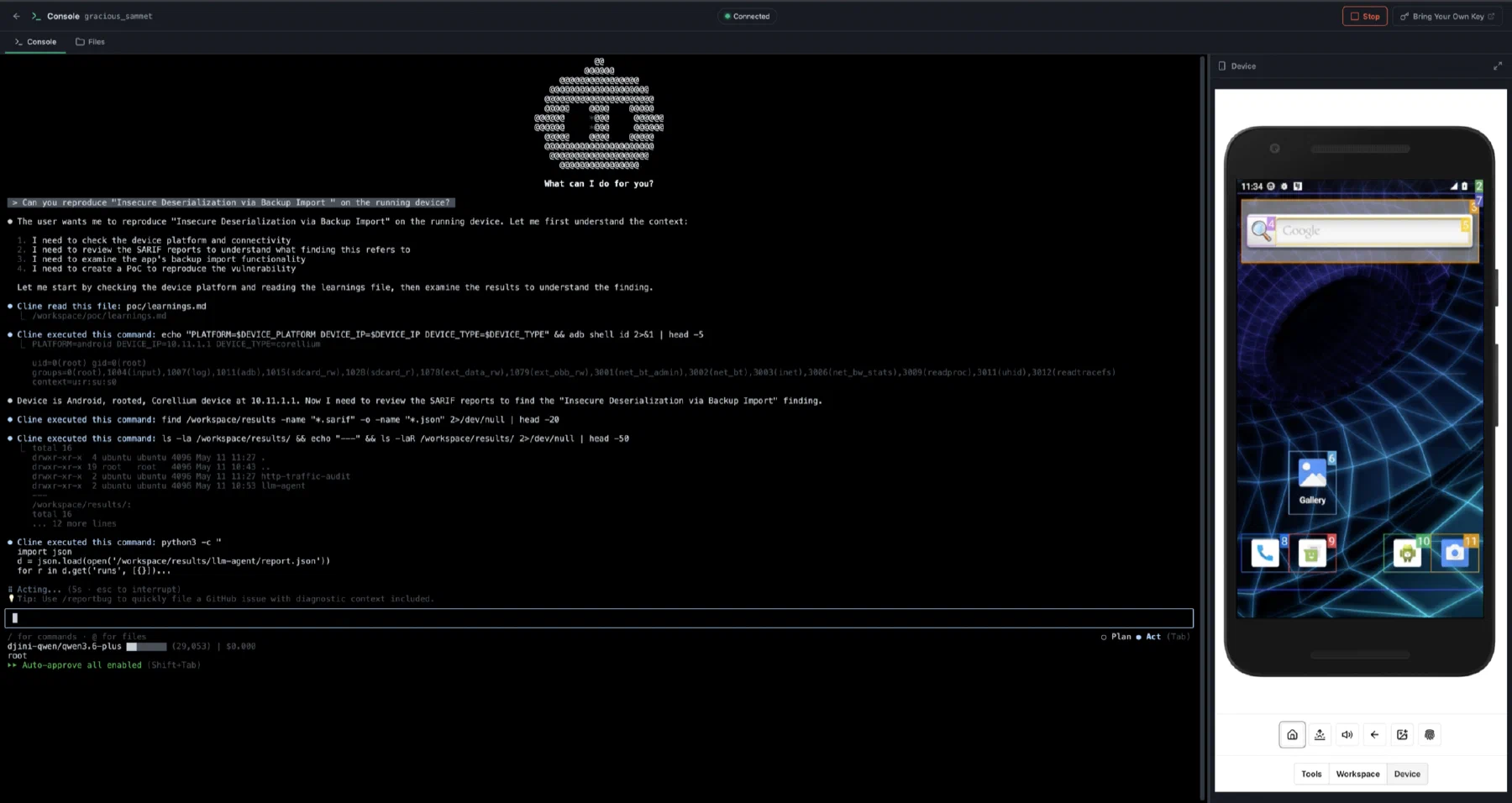
The Djini agentic console reproducing a finding on a connected Android test device

Build your workflow · All Djini use cases →

A few good questions

Before you go deeper.

Can Djini run against a test storefront?

Start the evaluation with a mobile build, sandbox accounts, and an agreed environment. Scope the app journeys and backend interactions you want to assess.

Do we need to replace our existing QA tools?

No. Device Lab API access is intended for integration with your own agents, pipelines, and internal tooling.

How do findings become fixes?

Source findings include location and remediation context. Use your coding agent to prepare a patch and PR, review the change, and run the appropriate source or runtime check again.

DJINI FOR ECOMMERCE & RETAIL

Your next release. A sharper security review.

Connect the code, the device, and the question your team needs answered.