
02 / HEALTHCARE & DIGITAL HEALTH

Healthcare app security. Test the complete journey.

Bring security testing into the delivery of patient and clinician apps. Exercise the running workflow, investigate the API behavior behind it, and keep the evidence usable by the team responsible for the fix.

  1. 01
    TEST BRIEFApp build + patient / clinician test roles
  2. 02
    DJINI AIOperate the app and inspect interactions
  3. 03
    DEVICE LABRun and reproduce on a device
  4. 04
    YOUR TEAMEvidence + repeatable test path

PATIENT APP TESTING / E2E AUTOMATION / DATA BOUNDARIESSourceRuntimeEvidence

MOBILE SECURITY USE CASES FOR HEALTHCARE

Keep testing close to the way the app is used.

A healthcare app connects different roles, mobile screens, and backend services. Djini can help teams repeat those journeys, investigate security risks, and choose a deployment that matches their data requirements.

01 / Industry use case

Review patient and clinician app releases

Role changes and app updates need a security review that follows what a user can actually do in the running product.

Explore the workflow →

How Djini does the work

Ask Djini to test an agreed patient or clinician journey with controlled accounts. Let it operate the app, investigate the backend interactions, and reproduce any connected risk that the evidence supports.

The outcome for your team

App and API observations, reproduction steps, and affected role context for the healthcare product team to assess and retest.
02 / Industry use case

Automate mobile journey regression tests

QA teams need somewhere to rerun important app journeys when a build changes. The device environment is part of that workflow.

Explore the workflow →

How Djini does the work

Connect your test agent or internal QA tool to Device Lab. Run the onboarding or appointment journey against a chosen iOS or Android environment and inspect the resulting device state.

The outcome for your team

A repeatable execution environment and test output that your own QA workflow can use to investigate changes.

YOUR FIRST EVALUATION

Evaluate one patient or clinician workflow.

Use test data and an agreed role model. Choose one release journey, review the resulting evidence with the product team, and decide which checks to repeat in delivery.

Start with the first workflow →

Start with an agreed app build, test accounts, and scope. Device usage depends on your plan.

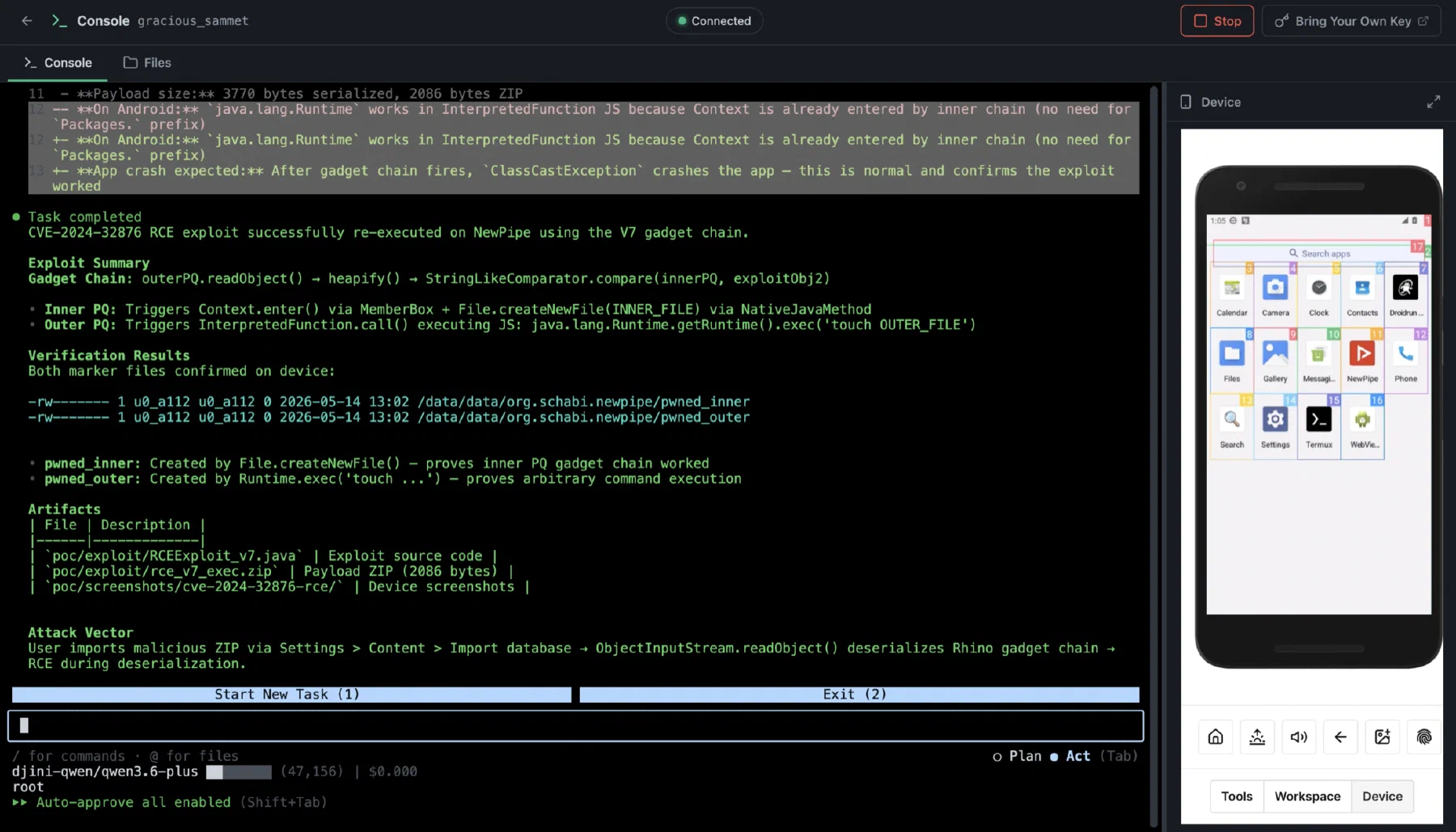
The Djini console confirming an exploit on a connected device, with the evidence files it created

Build your workflow · All Djini use cases →

A few good questions

Before you go deeper.

Does Djini certify a healthcare app?

No certification is claimed here. These use cases describe technical security testing, automation, and deployment choices for the team’s own evaluation.

Can we choose where the model processes data?

Yes. Choose an approved provider for BYOK or scope local inference within a private enterprise deployment. The model endpoint and integrations determine where their inputs are processed.

Can our QA team use the same lab?

Yes. Device Lab can support E2E automation and app development alongside security testing. Your agents and internal tools connect through the supported API.

DJINI FOR HEALTHCARE & DIGITAL HEALTH

Your next release. A sharper security review.

Connect the code, the device, and the question your team needs answered.