
06 / MOBILE GAMING

Mobile game security. From player flow to native code.

Combine app and API testing with research below the UI. Use Djini to investigate player journeys, examine native components, and give your own QA agents devices for repeatable execution.

  1. 01
    PLAYER JOURNEYGame build + controlled test accounts
  2. 02
    DJINI AIOperate the app and inspect API behavior
  3. 03
    RESEARCH + LABNative experiment on the target device
  4. 04
    ENGINEERINGReproduction + evidence + retest

GAME SERVICE TESTING / NATIVE RESEARCH / QA DEVICESSourceRuntimeEvidence

MOBILE SECURITY USE CASES FOR GAMING

Different layers need connected testing tools.

Game teams work across mobile clients, backend services, and native libraries. Choose the workflow for the job, then retain the device context and evidence needed to act on the result.

01 / Industry use case

Pentest game accounts and commerce journeys

Player accounts and commerce connect app state to backend authority. Review the complete flow when a release changes that relationship.

Explore the workflow →

How Djini does the work

Ask Djini to exercise an agreed player or sandbox-purchase journey. Investigate the requests and business logic, and use runtime testing to validate a suspected connected weakness.

The outcome for your team

A reproducible account or commerce investigation with the client/server context the game-services team needs to assess the risk.
02 / Industry use case

Investigate native components and exploit paths

A game includes native code and libraries that can require deeper research than a UI-level test.

Explore the workflow →

How Djini does the work

Use Djini’s native analysis and fuzzing workflow to investigate a selected component. Develop a focused experiment, examine the device result, and work toward a reproducible PoC.

The outcome for your team

The test input, target build, trace, and reproduction material for the native engineering or product-security team.

03 / Industry use case

Give game QA agents repeatable device runs

Your automation needs somewhere to exercise player onboarding and account journeys as builds change.

Explore the workflow →

How Djini does the work

Connect your own QA agent or internal tool to Device Lab. Run an agreed mobile task on supported iOS or Android environments and return its output to your testing workflow.

The outcome for your team

A reusable device execution setup, with screen, shell, and file access for inspecting the run and reproducing a failure.

YOUR FIRST EVALUATION

Choose a player journey or a native component.

Use a running-app evaluation for account and service questions. Use the Research workflow for a native-code lead, with the target build and device fixed so the result can be reproduced.

Start with the first workflow →

Start with an agreed app build, test accounts, and scope. Device usage depends on your plan.

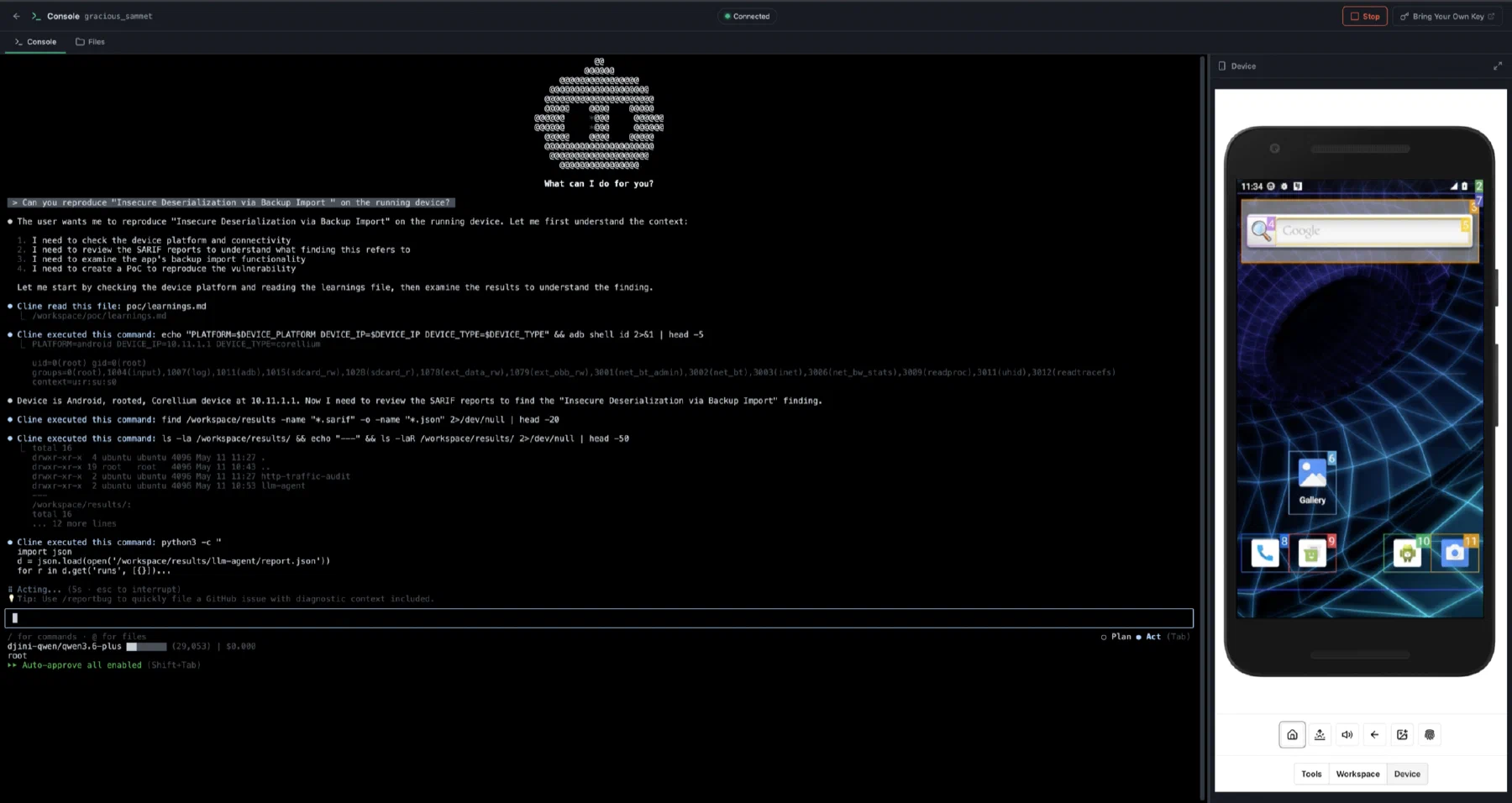
The Djini agentic console reproducing a finding on a connected Android test device

Build your workflow · All Djini use cases →

A few good questions

Before you go deeper.

Is Djini a managed anti-cheat service?

No. The use cases here describe application security testing, vulnerability research, and mobile device automation.

Which plan includes native fuzzing and PoC work?

The Research plan includes native scanning, fuzzing, PoC generation, and BYOD alongside AppSec features. Scope broader browser Research Lab work with the enterprise team.

Can the Device Lab run our own QA tooling?

Use Device Lab API access to connect the internal automation or agent you build. Device support, capacity, and usage depend on the agreed plan.

DJINI FOR MOBILE GAMING

Your next release. A sharper security review.

Connect the code, the device, and the question your team needs answered.