
Free Djini AI SAST: Now Fixes What It Finds
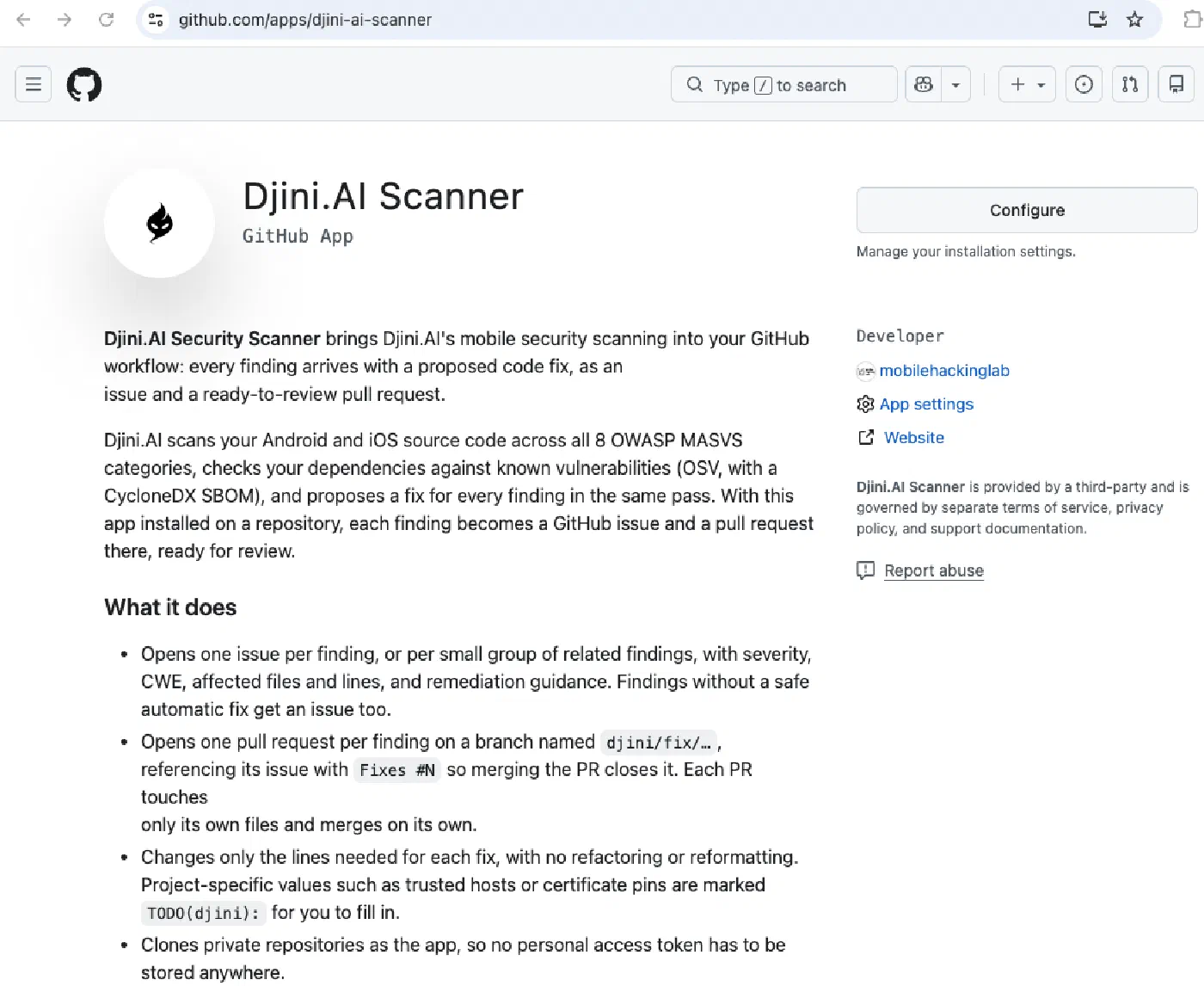
Our AI source-code scanner now brings the next step into GitHub: automated fixes, issues and pull requests. Connect your Android or iOS repository, run a scan, and review the proposed changes where your team already works.
Create your free account at app.djini.ai with 10 monthly AI Source Code scans.
Save time. Reduce risk.
Security issues can expose customer data, delay releases and damage trust. But reviewing every code change takes time that development and security teams often don’t have.
Djini automates scanning, issue creation and proposed fixes, so developers can spend less time investigating findings and writing patches. Where a fix is available, they review, test and approve it. Security teams get a clearer view of what needs attention and what is ready to resolve.
Here’s how to connect your repository and run your first scan.
1. Install the Djini GitHub App
Open the Djini.AI Scanner GitHub App, choose your account or organisation, and select one or more repositories. Installing the app connects those repositories; you start the scan from Djini or your pipeline.
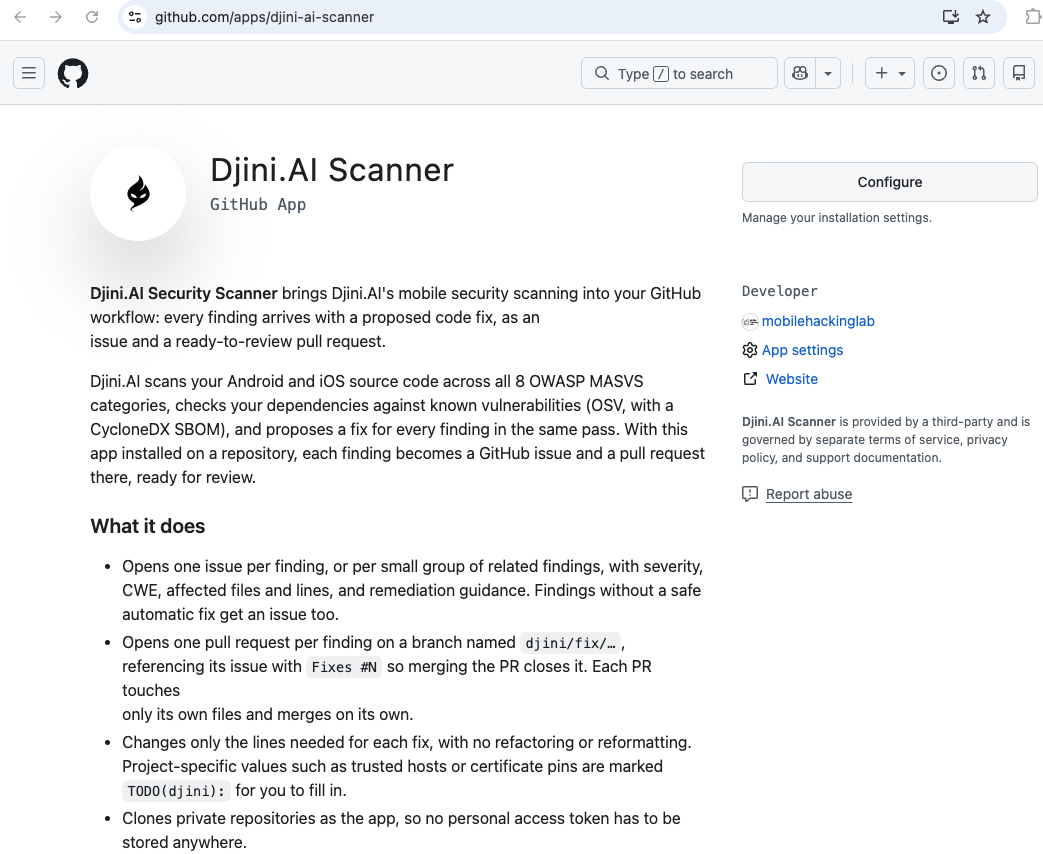
The Djini.AI Scanner GitHub App connects scanning, issues and fix PRs.
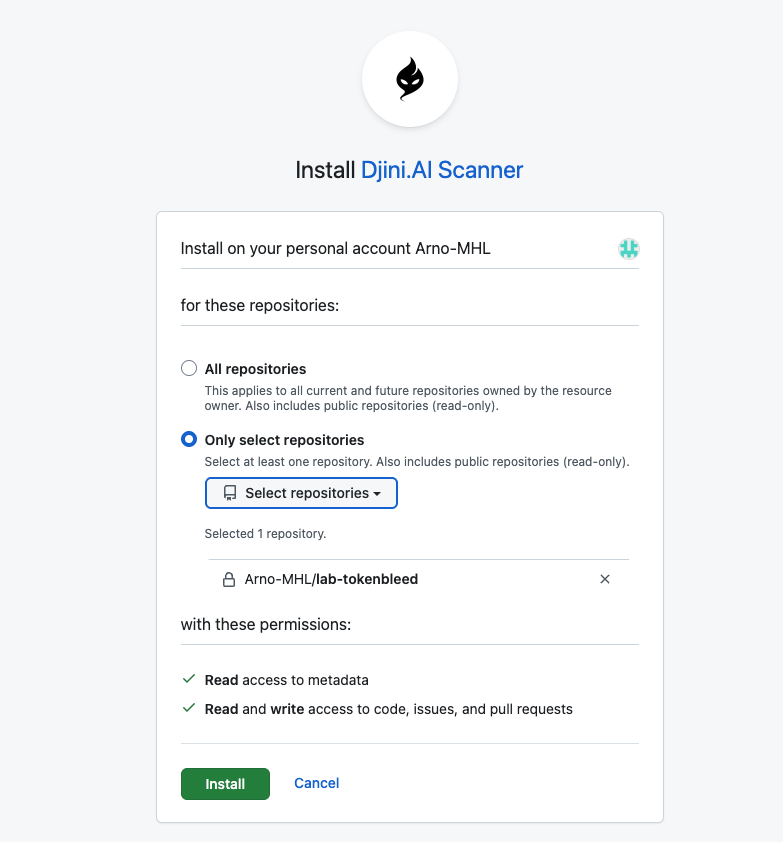
Choose the repositories you want Djini to access, then install the app.
2. Paste your repository URL and scan
In Djini, choose Source Code only (AI SAST), enter the repository URL and start the scan. Prefer not to connect GitHub? Upload a source ZIP instead. Scans of larger apps typically take around 5–10 minutes, depending on the codebase and model.
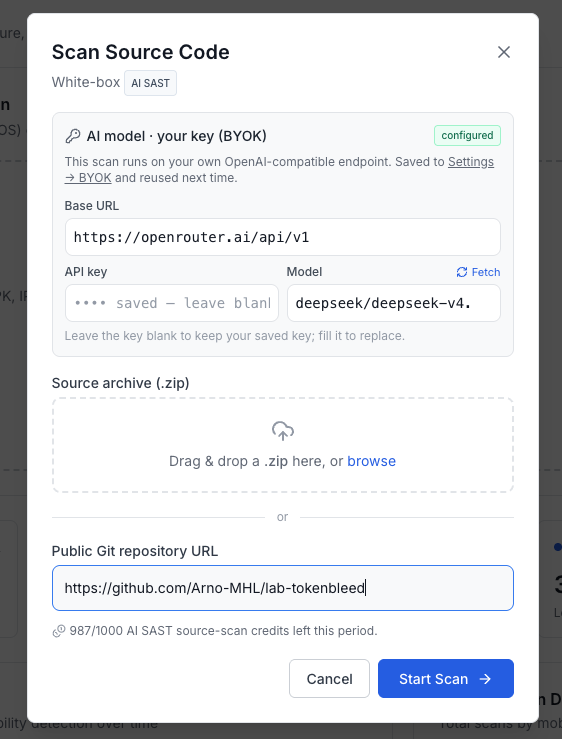
Start a source scan with your repository URL. ZIP upload is available in the same dialog.
One-time model setup: AI source scanning uses your own model. Configure it under Settings → BYOK → OpenAI Compatible; your provider’s usage charges may apply.
3. Review the issue, the fix and the PR
With the app installed and the repository scanned by URL, Djini opens an issue and a fix PR per finding—or per group of related findings. Findings without a safe automatic fix still get an issue. You review, test and merge the changes.
Our Android TokenBleed demo shows the flow end to end: 7 findings, 6 issues and 6 fix PRs. One finding follows a deep link into an attacker-controlled WebView, where a JavaScript bridge exposes the authentication token. The proposed change restricts the URL before it reaches that bridge.
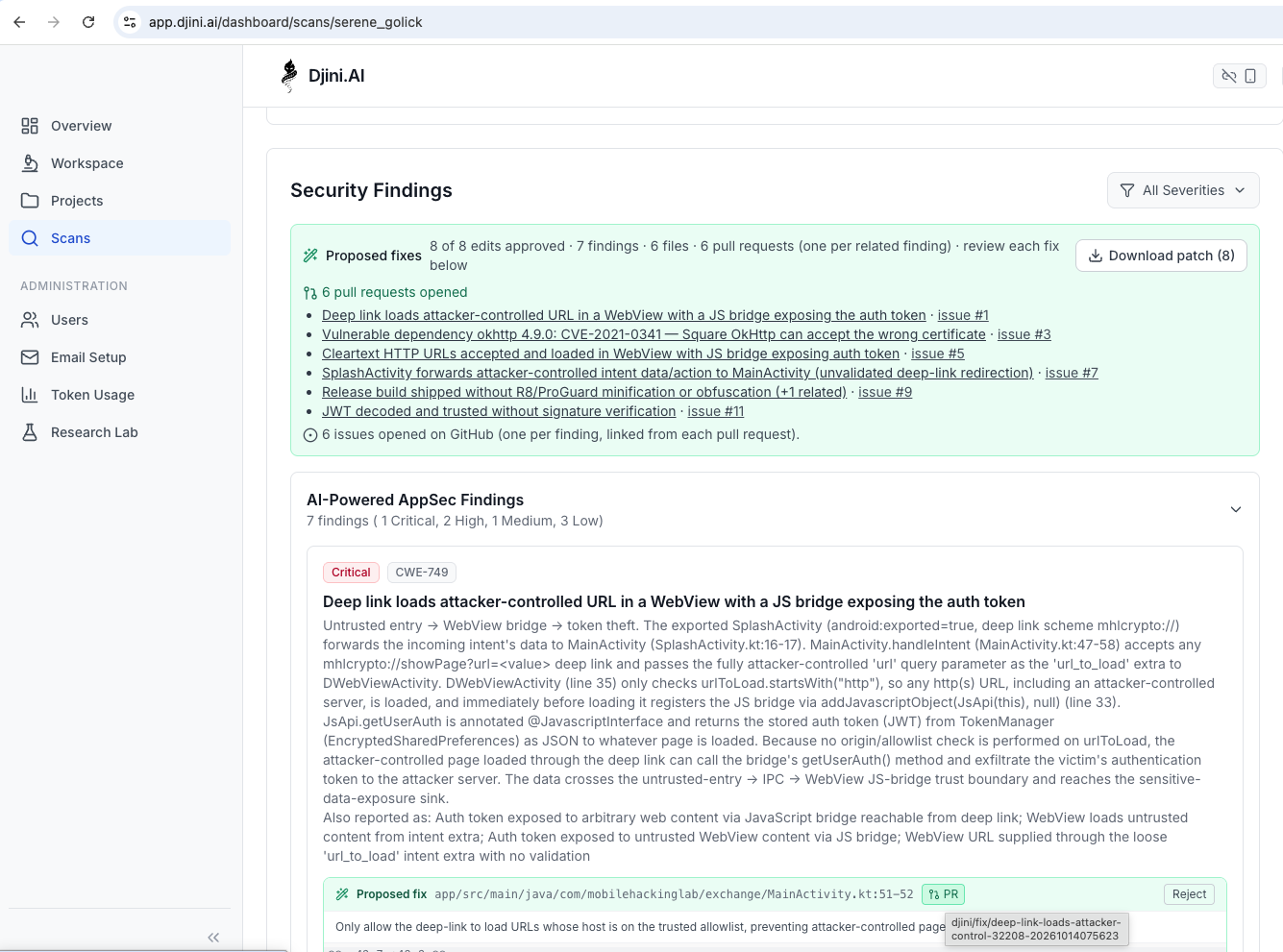
Android lab demo: the completed TokenBleed scan links its findings to six GitHub issues and six fix PRs.
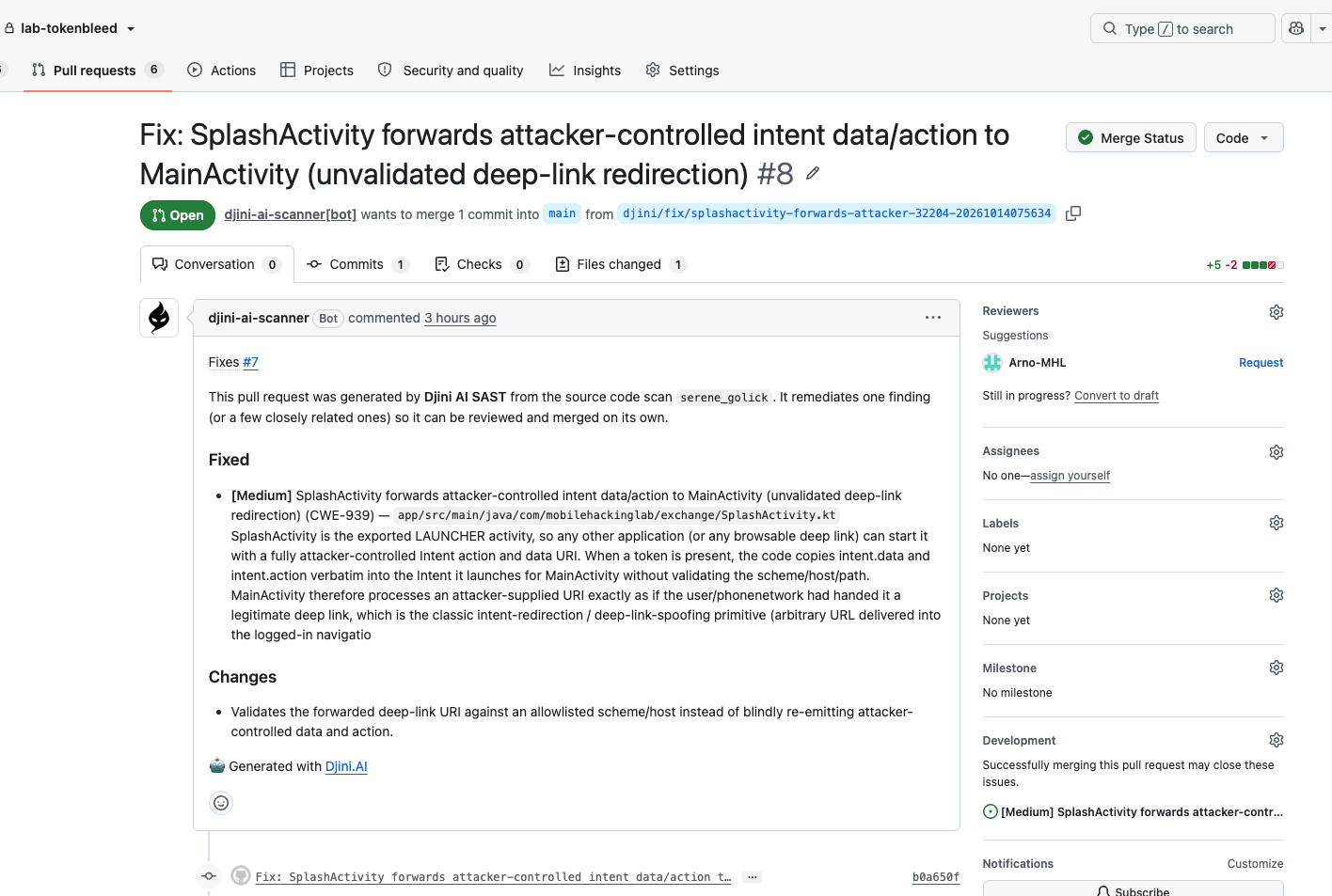
TokenBleed demo: review the generated GitHub PR and its proposed changes.
Larger apps: findings with proposed code changes
The new recordings show scans of older, vulnerable versions of Nextcloud and IVPNClient for iOS. These examples demonstrate findings in those specific versions and do not describe the latest releases. Each finding includes the affected code and a proposed patch, so you can inspect the reasoning before applying a change.
IVPNClient for iOS
The scan of the older IVPNClient version reports 6 findings, including an undersized buffer passed to inet_ntop(). The proposed patch allocates a buffer of the expected size. This scan used a ZIP upload, demonstrating how findings and downloadable fixes remain available without connecting GitHub.
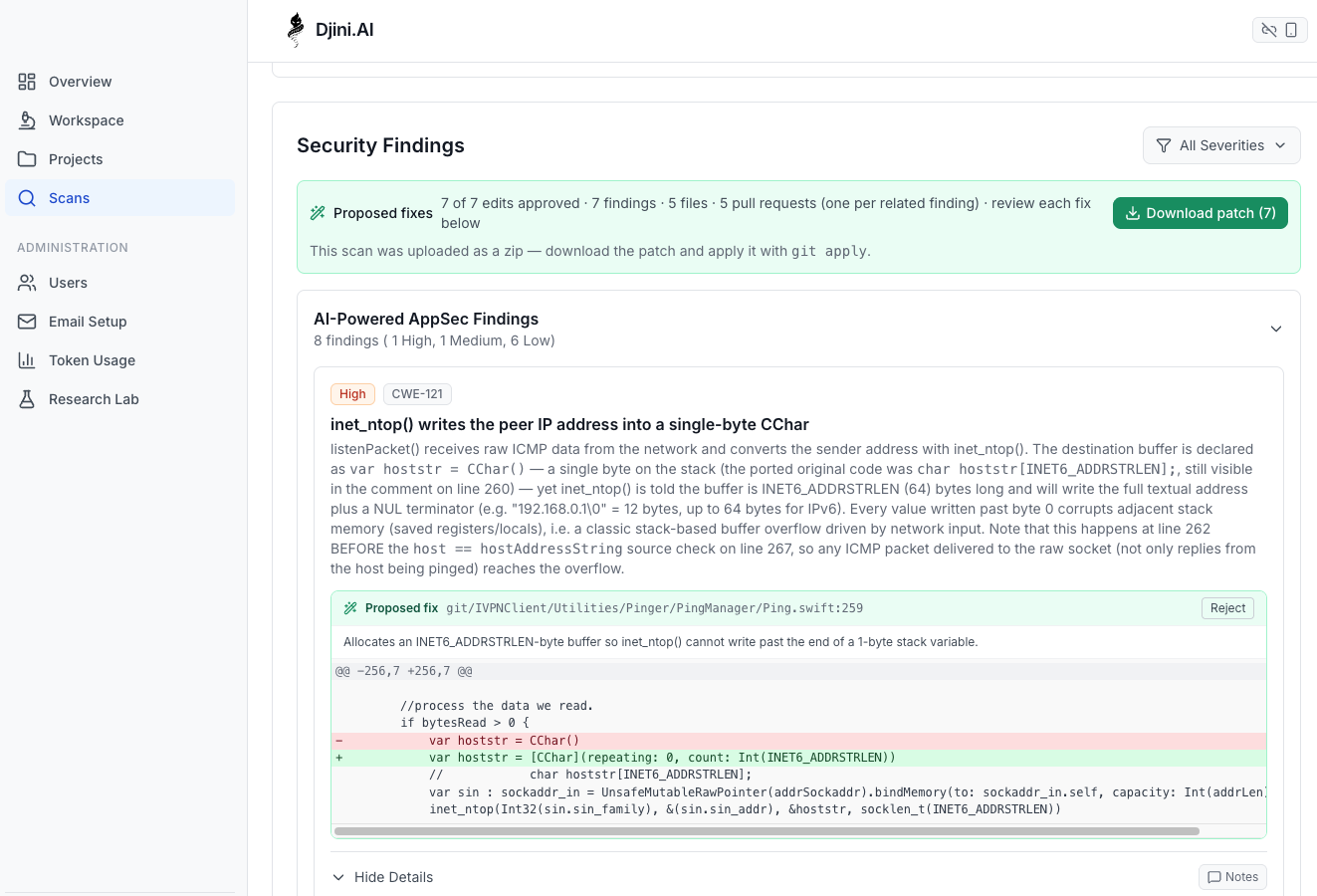
Older, vulnerable IVPNClient iOS version: the reported buffer-size issue and proposed patch. This is a source ZIP scan.
These are findings from the recorded source scans, not independently confirmed exploit demonstrations. Review the affected version, code and suggested changes before merging.
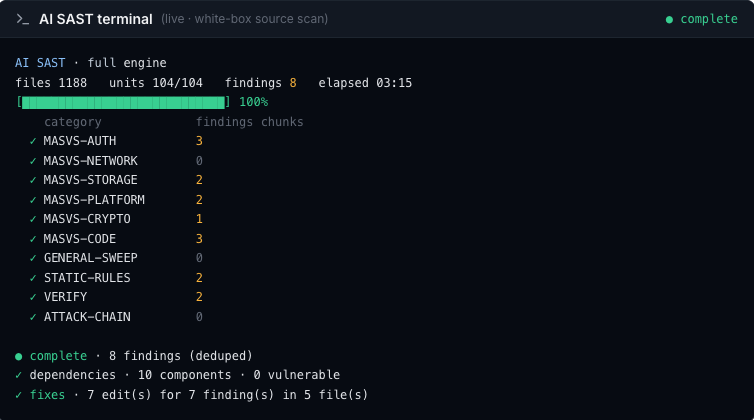
The complete scan finished in just over 3 minutes for all OWASP MASVS categories.
Run it in your pipeline—or ask your AI agent
Use the GitHub Actions example to scan on pushes or pull requests and apply a severity gate. Or install Djini Skills, connect your API key, and ask your coding agent to run a scan and review the findings.
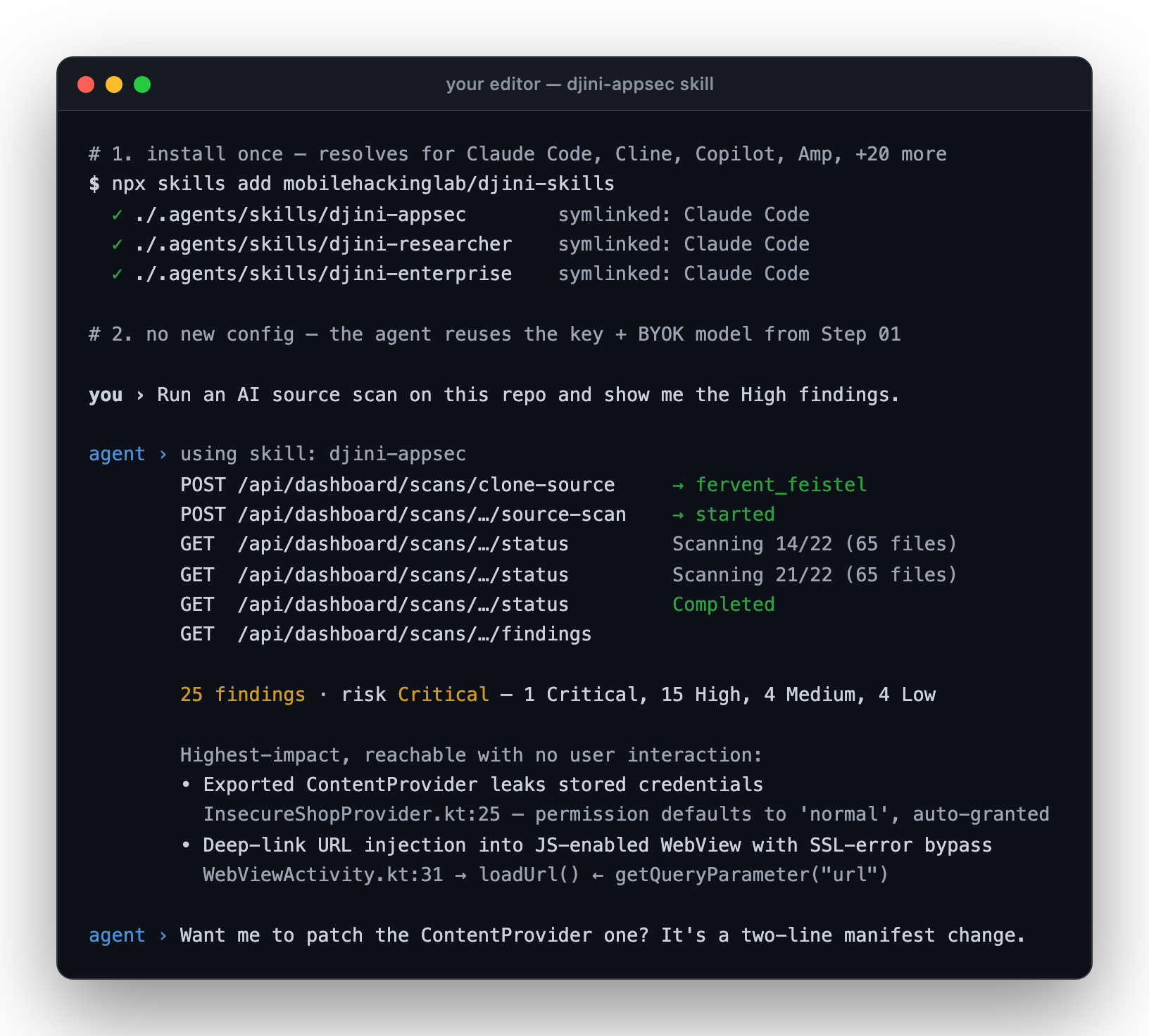
AI-agent example reused from our earlier walkthrough: the agent starts a source scan and summarises the results.
Results of the pipeline run are stored in GitHub, including a summary with all vulnerabilities per OWASP MASVS category and fixes.
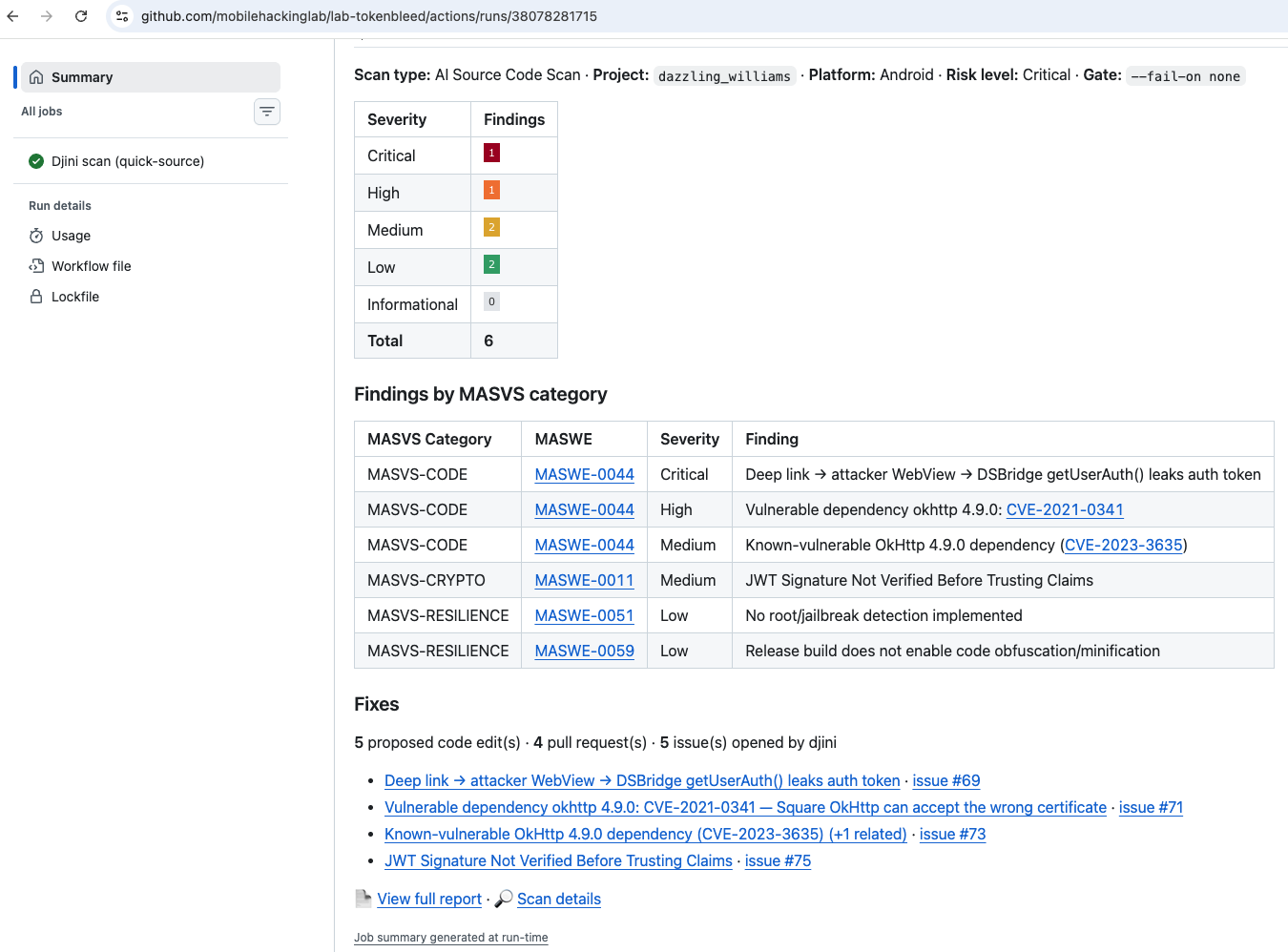
Pipeline run results via GitHub actions with detailed summary
For testing beyond source code, Djini also offers DAST scans of built apps to examine behaviour at runtime.
Finding a vulnerability is only the beginning. The business benefits when it gets fixed. By bringing findings, proposed changes and review into the same workflow, Djini.AI helps security and development teams move from identifying risk to resolving it. Developers get a clear starting point, security teams can track remediation, and your team stays in control of what gets merged.
Find your next fix.
Create your free account with 10 monthly AI Source Code scans, connect a repository and try it. Want a walkthrough for your team? Book a call.