Review before a build
Find source-level risks while the code is still in development.

02 / DEVELOPERS & DEVSECOPS TEAMS
Give your coding agent and pipeline a mobile security specialist. Scan source before a build, connect vulnerabilities across files, and turn the finding into a patch your team can review.
You ask Djini
“Scan this mobile repository before we merge. Explain the connected attack paths, propose a fix, and open a pull request for review.”
What your team gets
Source findings with file and line context, remediation, and structured results for your coding agent and delivery pipeline.
Access & scope
Available today. AI SAST uses your model key; the coding agent prepares the patch and PR.
THE WORK BEHIND THE OUTCOME
A scan is useful when a developer can understand the risk and act on it in the same development cycle. Djini reads the source, follows interactions across files, and returns the context a coding agent or reviewer needs to prepare a fix.
Submit a source ZIP or public Git repository. Invoke the source scan from your coding agent or CI/CD workflow, using your chosen model provider.
Review mobile security categories and connected attack paths. Follow untrusted input into the functions and privileges that make a bug matter.
Use JSON or SARIF results in your workflow. Set a severity policy for the pipeline and give developers the affected location and remediation context.
Let your coding agent propose a focused fix and pull request. Review the diff, rescan the changed code, and use dynamic testing when runtime proof is needed.
INSIDE DJINI
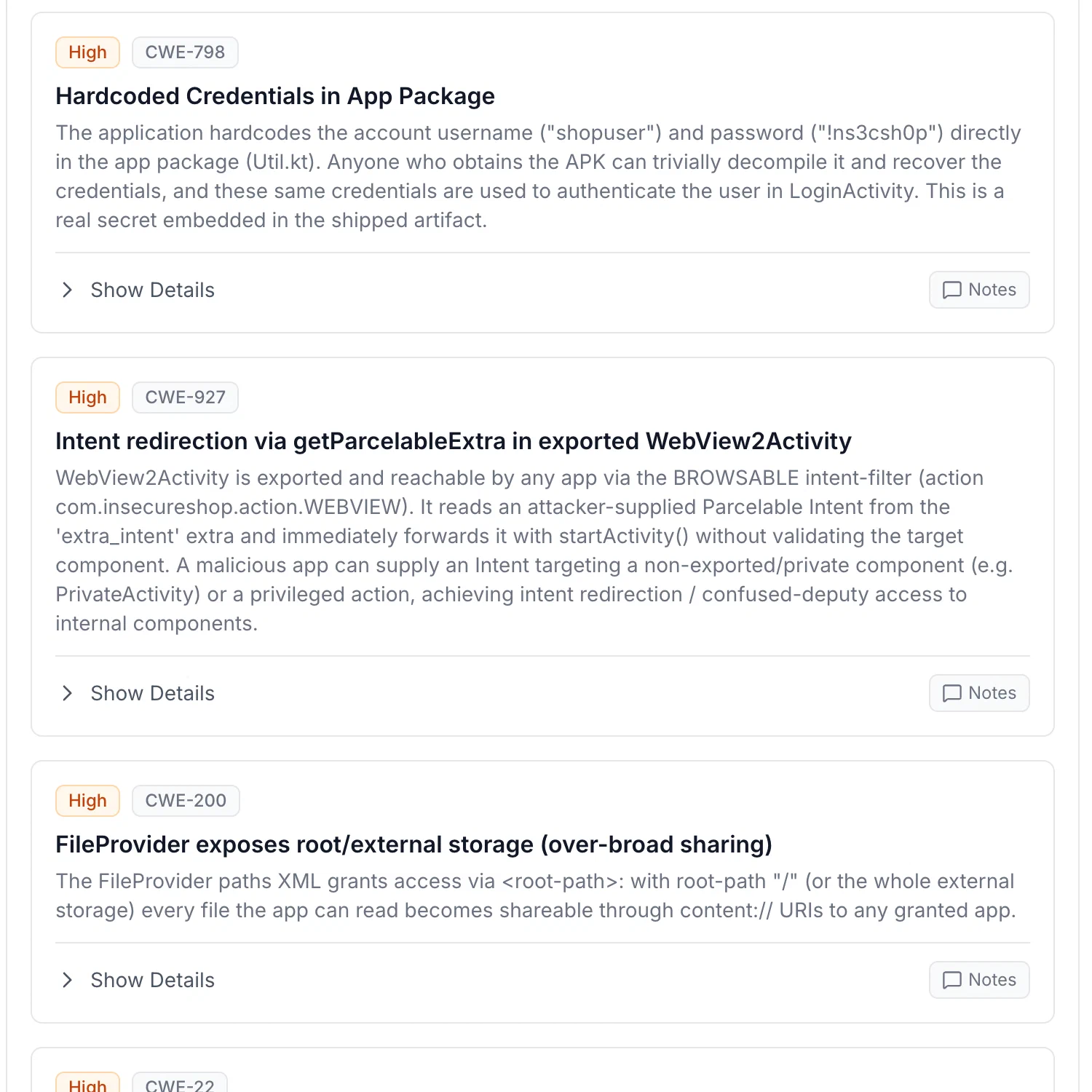
The source findings view keeps the affected code beside the analysis. Use that context to review an attack chain and prepare the developer handoff.
WHAT YOUR TEAM TAKES AWAY
Find source-level risks while the code is still in development.
Keep the location, reasoning, and remediation together.
Propose changes through your coding agent, with code review and merge decisions staying in your repository.
A few good questions
Each account gets 10 AI SAST source scans per month. Configure your own model key for source analysis. Model inference is billed by the provider you choose.
Yes. Source scans use the OpenAI-compatible provider setting. Configure a supported endpoint such as OpenRouter or your own reachable local model endpoint, then select the model.
A source scan identifies the code path and explains the risk. Use Djini’s runtime workflow to reproduce the behavior when you need exploitation evidence. A proposed fix still needs review and retesting.
PUT DJINI TO WORK
10 free AI SAST scans per month. Bring your own model key.
THIS WORKFLOW, IN YOUR INDUSTRY